

Unleash Your Creativity: Best Photo Editing Apps for iPhone Users
In today's visually-driven world, photography has become more than just a hobby; it's a powerful form of self-expression and storytelling. With the advancement of smartphone technology, our iPhones have transformed into powerful cameras capable of capturing stunning images with just a tap of a button. However, the true magic often happens after the photo is taken, in the realm of photo editing.
Whether you're a professional photographer looking to fine-tune your images or an amateur enthusiast eager to experiment with filters and effects, these photo editing apps cater to all skill levels and creative preferences. From basic adjustments like cropping and exposure correction to advanced techniques such as retouching and compositing, these apps empower you to unleash your creativity and bring your vision to life.
Join us as we delve into each app's features, usability, and artistic potential, helping you navigate the vast landscape of photo editing apps to find the perfect tools for your needs. Whether you're enhancing snapshots from your latest vacation, creating captivating Instagram posts, or curating a portfolio of your best work, these best-in-class photo editing apps will take your iPhone photography to new heights. So grab your iPhone and let's embark on a journey of creativity and inspiration together!

AirBrush - AI Photo Editor
- Platform: iOS
- Minimum iOS version: 13.0
- Creator: Pixocial Technology Singapore Pte Ltd
- Price: Free
- User Rating: 4.8 (174.8K Reviews)
Screenshots

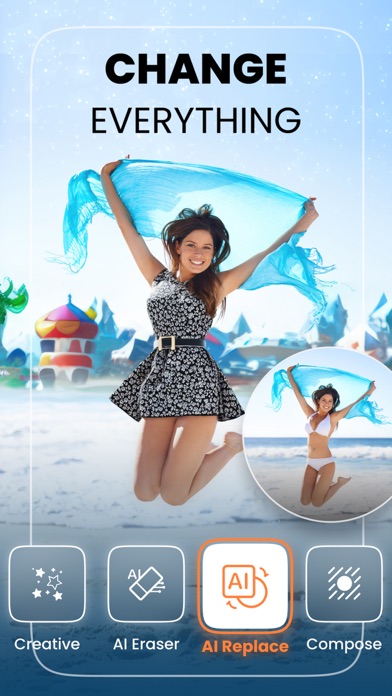

Unleash the full potential of your creativity with this powerful, easy-to-use AI photo editor! A wide range of intuitive features and tools allow you to:
GLOWING SKIN
• Remove acne and blemishes
• Even out skin tone
• Smooth and glowing skin
SCULPT AND SHAPE
• Expand or slim any facial feature
• Add volume to your hair
• Stretch tool for added height
DAZZLING SMILE
• Whiten teeth
• Widen or nudge your smile
• Plump up lips
PROFESSIONAL PHOTO EFFECTS
• Add depth with our blur tool
• Frame your photos with vignettes
• Control color and light
Stay on top of the latest trends AND SO MUCH MORE!
-------------------------------------------------------------------------
HARNESS THE POWER OF AI
Transform the way you create with AirBrush’s AI-powered tools:
* AI Styles: Experiment with different scenes and settings to create edits that are uniquely you.
* AI Replace: Effortlessly replace any element in your photo with the right descriptive prompt.
* AI Avatar: Live out your wildest fantasies through an impressive collection of avatar aesthetics.
* AI Repair: Breathe new life into old, distorted photos with this advanced repair feature.
* AI Eraser: Intuitively remove unwanted people or objects from your photos for a seamless edit.
* AI ProPic: Turn your ordinary photos into professional headshots in a range of business styles.
MASTER YOUR SELFIES
Level-up your portraits with a suite of tools that are incredibly easy-to-use:
* AI Retouch: Take your selfie game to the next level with an intuitive AI tool that enhances your natural features.
* Makeup: Elevate your look in seconds with an impressive collection of makeup sets or get creative with individual elements, from lipstick and blush, to eye shadow and eye color.
Presets: Access dozens of one-tap presets to enhance the most basic photos with ease.
PRO-QUALITY PHOTO EFFECTS:
Edit photos like a professional using simple but high-impact features:
* AI Enhance: Fine-tune the details in your photos with ease thanks to this highly responsive feature.
* Filters: Reimagine your images with dozens of filters and gorgeous light effects.
* Bokeh: Focus on what matters most and make your subject standout every time.
PROUD OF YOUR CREATIONS?
• Share your AirBrush photos directly onto your favorite social media accounts!
TO DISCOVER PHOTO EDITING TIPS, FOLLOW US ON SOCIAL MEDIA!
Instagram: instagram.com/AirBrushOfficial
TikTok: https://www.tiktok.com/@airbrushofficial
Facebook: facebook.com/airbrushappofficial
Twitter: twitter.com/AirbrushApp
AirBrush PREMIUM is a subscription that provides access to premium tools and features that are updated frequently based on current trends. This subscription auto-renews at the end of each term according to the plan subscribed unless canceled 24-hours in advance. The subscription fee is charged to your iTunes account at confirmation of purchase. You may manage your subscription and turn off auto-renewal by going to your Account Settings after purchase. No cancellation of the current subscription is allowed during the active period. Your account will be charged for renewal within 24-hours prior to the end of the current period, specifying the cost of the renewal. Any unused portion of a free trial period, if offered, will be forfeited when the user purchases a subscription to that publication, where applicable.
-------------------------------------------------------------------------
Terms of Service: https://airbrush.io/tools/legal/terms-of-service
Privacy Policy: https://airbrush.io/tools/legal/privacy-policy
Camera360-Selfie Editor
- Platform: iOS
- Minimum iOS version: 13.0
- Creator: 灏 徐
- Price: Free
- User Rating: 4.7 (11.9K Reviews)
Screenshots
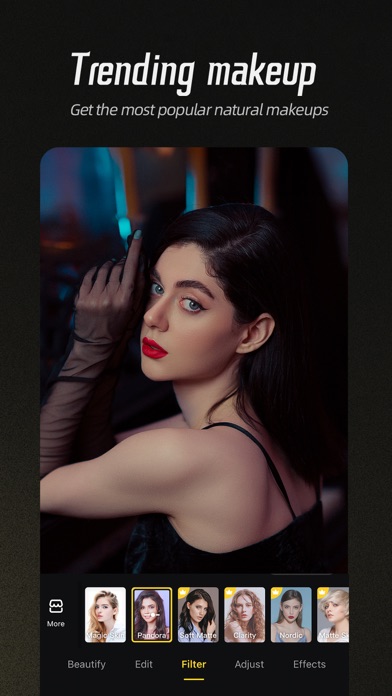
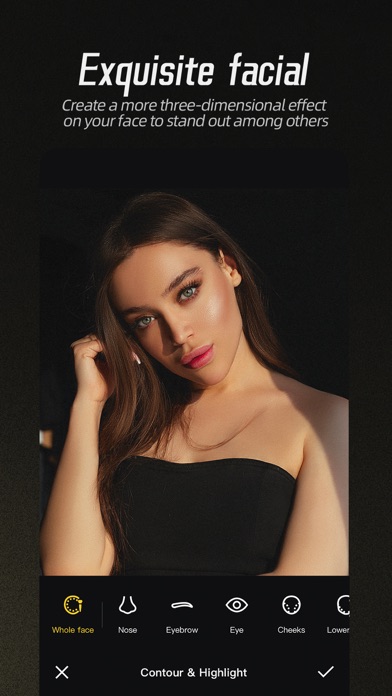
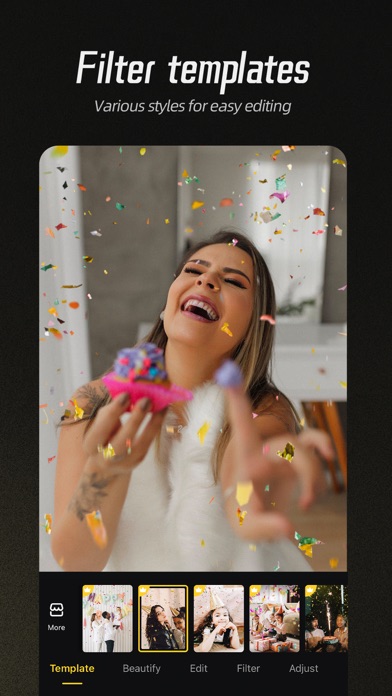
Camera360 is a professional but easy-to use App for photo editing and selfie retouching. You can use Camera360 to edit photo with filters, stickers and make-ups.
ORIGINAL FACE RETOUCHING
- Smooth Skin: Swipe over wrinkles, blemishes and smooth skin.
- Reshape: 21 micro-adjustment, no trace of PS.
- Face and Body reshape: Manual and auto adjustment. You can protect the parts you don't want to edit.
- Beautify: One tap and instantly beautify your photo.
FILTERS OF VARIOUS STYLES
- Magic Sky: Change the sky as you like. Anime Sky, Dreamy Sky.
- Painting filter: Make the photo look like a painting. Use “Great Artist” filter. Everybody can be an artist.
- Anime effect: Try cartoon filter and make a photo nobody else can do!
- Movie Filter: From cinematic, B&W to color, anything you ask is here. Try our movie filters and be who you wanted to be.
HIGH QUALITY SELFIE
- High Quality Filter: Over 300 filters, from retro, black and white, HDR, LOMO, to Hong Kong style!
- Natural and Stylish makeup: Including main and sub, there are over 30 makeup filters! Customize your favorite style and color just the way you like and make your own!
- Cute AR Sticker: With smart face recognition, not only face but also your expression will be captured! You can also play interactively!
- Video Selfie: Support videos of 10s to 60s with music. You can freely change your music and enjoy filter and makeup at the same time.
EDIT LIKE A PRO
- Detailed Color Expressions: It works really well if you just want to change one color! Make the unique colored photo with DSL.
- Image Correction: Support vertical and horizontal correction. Suitable for photos of buildings. Lines will be straight and balanced.
- Basic Color Change: 13 basic parameters including saturation level, exposure, highlight, shade, layers, color temperature, hue, etc.
- Mix Filter: Over 300 filters can be used.
【Camera360 VIP Service Statement】
1. Service name:
- Yearly Camera360 VIP;
Hereinafter referred to as VIP.
2. Payment will be charged to iTunes Account at confirmation of purchase. Subscription automatically renews unless auto-renew is turned off at least 24-hours before the end of the current period. Account will be charged for renewal within 24-hours prior to the end of the current period, and identify the cost of the renewal.After successful deduction, Camera360 will be automatically extended for one subscription period. To cancel renewal, manually turn off automatic renewals in iTunes/AppleID setup 24 hours before the current subscription period expires.
3. You can suspend or terminate this service by:
Automatic renewal for Apple In App Payments (IAP payments, in-app purchases): Goto iPhone "Settings" --> Enter "iTunes Store and App Store" --> tap "Apple ID", select "View Apple ID", enter "Account Settings" page, tap "Subscribe", and select Camera360 VIP to cancel the subscription.
4. VIP Subscription Notice:
https://www.camera360.com/iap_subscription_en.html
5. Privacy Policy:
https://www.camera360.com/privacy.html
6. Terms of Use:
https://www.camera360.com/disclaimer.html
————
Follow us on:
Twitter: @Camera360
Instagram: @Camera360_Official
Facebook: @camera360official
Picsart AI Photo Video Editor
- Platform: iOS
- Minimum iOS version: 14.0
- Creator: PicsArt, Inc.
- Price: Free
- User Rating: 4.7 (1.1M Reviews)
Screenshots
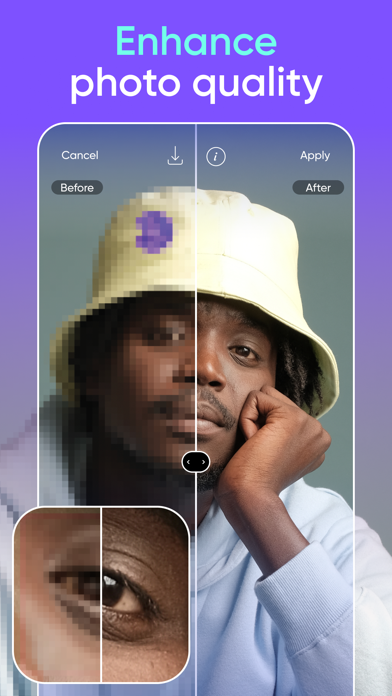
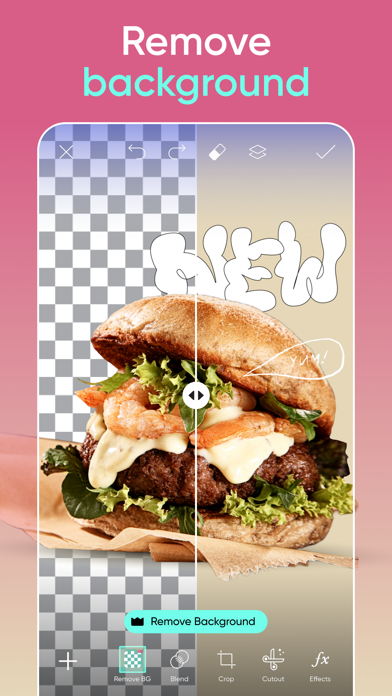
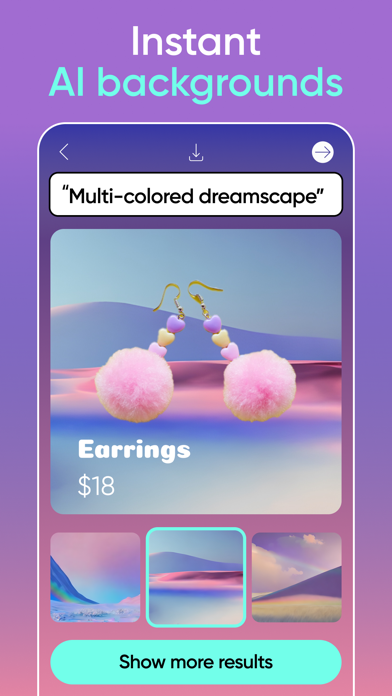
Join the Picsart community of over 150 million creators around the world. Bring your creativity to life with a full suite of AI powered editing features, quickly remove and swap backgrounds for the perfect product shots, design flyers or social media posts with templates, create photo collages of your favorite memories, choose from hundreds of stylized photo filters, and more. Picsart is your go-to, all-in-one AI assisted editor with all the tools you need to give your content a personal flair and make it stand out.
Picsart Features:
PHOTO EDITOR
• Remove the background from photos and replace with a custom background
• Clean up pictures and remove unwanted objects
• Retouch selfies with hair color changer, makeup stickers & more
• Add trending filters and popular photo effects
• Use millions of curated, free images to edit with
• Add text to photos with 200+ designer fonts
• Blur backgrounds with our AI-powered smart selection tool
• Add stickers to pictures and create your own stickers
AI TOOLS
• Improve low quality images to make them sharper with AI Enhance
• Turn text into images with AI Image Generator and create unique, customizable images and GIFs automatically
• Apply stylized AI Filters to your photos with one tap
• Replace imagery in your photos with AI Replace
• Upload photos of yourself to generate your own unique, customized avatars in different styles with AI Avatar
VIDEO EDITOR
• Add music to your videos using our extensive music library
• Take your IG Stories, TikToks & Reels to the next level
• Crop video clips to the perfect dimensions and ratios
• Add video effects and filters
• Trim videos or use smart video merger to blend videos
• Create slow motion videos
• Add your best moments to a video collage
COLLAGE MAKER
• Create on-trend photo collages with your favorite pictures
• Try photo grid collage, freestyle collage, scrapbook, and frames for pictures
• Use the Story Maker and level up your Instagram game with Story templates
STICKER MAKER + FREE STICKERS
• Discover over 60+ million Picsart stickers
• Add stickers to pictures to turn up the fun level on your edits
• Create unique custom stickers
PHOTO EFFECTS & FILTERS
• Cartoon yourself with a single tap
• Choose from hundreds of stylized photo filters
REPLAY
• Recreate trending edits in a couple of taps and cut editing time in half
• Edit multiple pictures in the same style.
• Keep your IG feed on-trend and consistent by creating personal presets
DRAWING TOOL
• Use Picsart Draw with customizable brushes, layers, & pro drawing tools
• Start with a blank canvas to create art and illustrations from scratch
Subscriptions:
PICSART PLUS
With Picsart Plus, you get access to exclusive content, customizable templates, one-tap portrait retouch, AI makeup, filters, effects, fonts, stickers and a distraction-free workspace with no ads.
PICSART PRO
With Picsart Pro, you get everything in Plus with unlimited access to our full suite of cutting-edge AI tools, Background Remove for photos and videos, the ability to collaborate with your team, and much more.
---
Start your Plus or Pro subscription with a free trial - limited to one per Apple account. Once the trial is over, you’ll be charged a nominal subscription fee. Your subscription will automatically renew unless auto-renew is turned off at least 24 hours before the end of the current period. If your subscription is subject to any promotional discount, the discount will expire upon the end of the current period & you’ll be charged the standard rate upon renewal. Go to your Apple account to manage your membership & to turn auto-renew off. Your Apple account will be charged when the purchase is confirmed.
Terms and conditions: https://picsart.com/terms-and-conditions
About Ads: https://picsart.com/privacy-policy#interest-base

Photo Editоr
- Platform: iOS
- Minimum iOS version: 11.0
- Creator: VIDEO EDITOR PTE. LTD.
- Price: Free
- User Rating: 4.7 (11.5K Reviews)
Screenshots
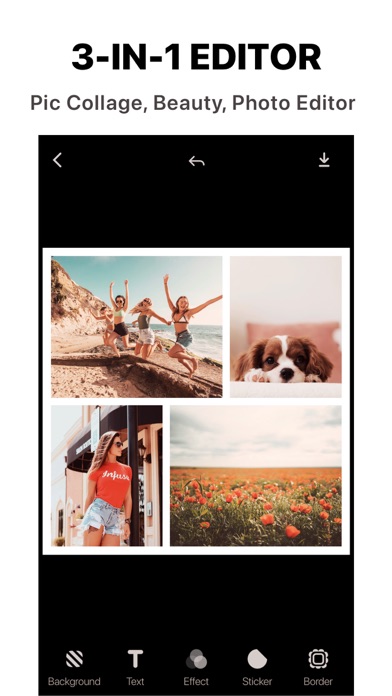
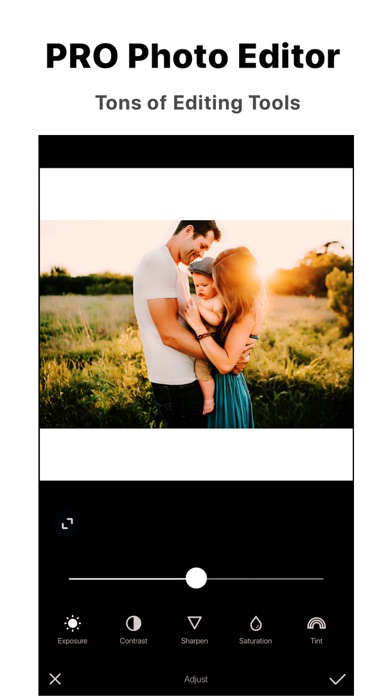
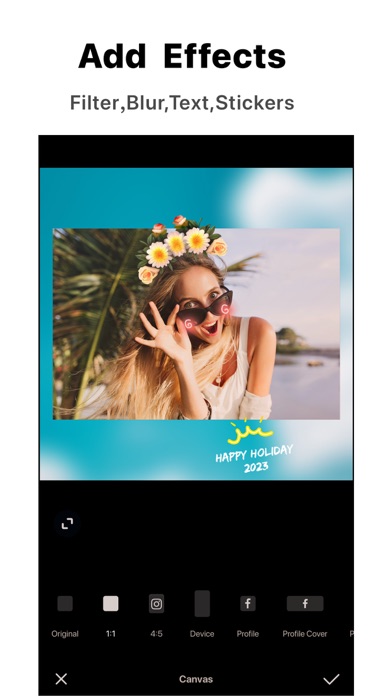
Amazing photo editor and collage maker to share your best moments and memories! Welcome to Ṗhoto Editor - the best, the easiest app for editing photos on mobile. Download today and enjoy our amazing edit tools, effects, and tons of stickers, fonts, layouts.
Join the millions of content creators who trust and use Ṗhoto Editor for easy, fast and powerful editing on mobile. Ṗhoto Editor all about making awesome pictures and having fun by remixing free-to-edit pictures into awesome collages & memes.
PRO PHOTO EDITOR
With amazing features Ṗhoto Editor includes tools to create cutouts, crop, skew, copy, change background, add text & sticker. And add blur background, draw with 10+ preset cool brush. Also has a full library of filters, backgrounds, borders, fonts & more.
• CROP
Quickly and easily crop your photos with different presets or make your own custom crop
• RESIZE
Resize photos to your needs
• ORIENTATION
Quickly and Easily to transform photos with rotating tool, vertical/horizontal flipping tool.
COLLAGE MAKER AND GRIDS
Ṗhoto Editor provides tons of free layouts to lets you make grid style pic collages, templated collages & freestyle arrangement collages.
AWESOME PHOTO FILTERS.
Sophisticated photo filters to edit every detail of your photo. Choose from 100+ well-designed presets & growing.
EDITING ADJUSTMENTS:
Fix common digital photo issues in seconds. Adjust picture exposure, brightness, sharpness, contrast, Tint, Color warm temperature , removes red eye and much more.
BEAUTY TOOLS
Acne Spot Remover - remove temporary blemishes disappear
Skin Smooth - make your skin looks more naturally smooth.
Tooth Whiten - make your smiles shine.
Skin Tone - change your skin color in beautiful style.
Face Shaper - adjust your face size to perfect aspect to impress your friends.
PRO FONTS & TEXT EDITOR
Add text to your photos, choose from tons of unique fonts. Change text color, size, opacity, background color etc.
TONS STICKERS:
Hundreds of free awesome stickers
SOCIAL NETWORK FORMATS
Instantly resize photo to fit perfectly on every social network. Choose formats for Instagram, Facebook, and more.
Premium is a $4.99 USD/monthly subscription that provides access to entire collection of layouts, filters, backgrounds, stickers and more! And to access our exclusive set of Features. New content update monthly! This subscription auto-renews at the end of each month at $4.99 USD, unless cancelled 24-hours in advance. The subscription fee is charged to your iTunes account at confirmation of purchase. You may manage your subscription and turn off auto-renewal by going to your Settings after purchase. No cancellation of the current subscription is allowed during active period.
Terms of use: https://bit.ly/term-ve
Privacy policy:https://bit.ly/privacy-ve

Photoshop Express Photo Editor
- Platform: iOS
- Minimum iOS version: 14.0
- Creator: Adobe Inc.
- Price: Free
- User Rating: 4.8 (713.1K Reviews)
Screenshots
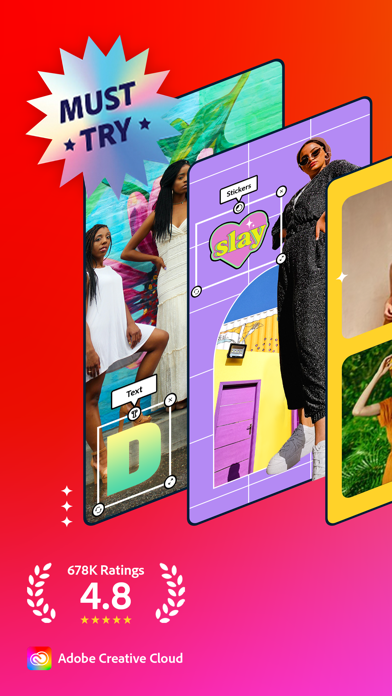

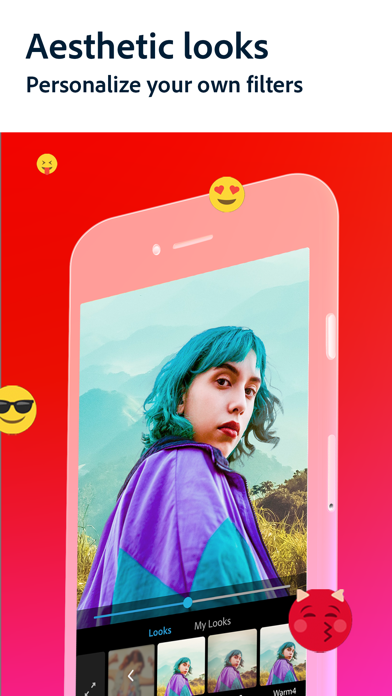
PHOTO EDITING MADE FUN AND EASY FOR EVERYONE
Tap into your creativity on the go with Photoshop Express–a fun, fast, and easy picture and video editor for one-touch photo transformations and video edits–used by millions of creative individuals. Create high quality videos and touch up your favorite photos with our easy-to-use photo design tools on your mobile device.
Photoshop Express delivers a wide and diverse selection of features and effects at your fingertips. Use our photo editing app to personalize and perfect your experiences with stickers and overlays, apply blur, enhance colors and images with Looks filters. Create a photo collage, generate memes, fix and enhance your share-worthy moments for stunning social media content. Unlock unlimited possibilities with Photoshop Express Premium!
You don’t have to be a professional photo editor to make stunning picture edits. With Photoshop Express, you can edit your photos all on your own!
PHOTOSHOP EXPRESS FEATURES
VIDEO EDITOR (Video not available for iPad)
- Trim clips, adjust speed, recolor, resize and rotate for high resolution video exports right from your phone
- Add multiple videos from your camera roll to combine into one video
- Access thousands of music tracks to get the perfect mood for your edit
PICTURE FILTERS
- Blur: Add full or radial and blur to blend out backgrounds and shift focus to specific subjects
- Photo Enhancer: Select from an array of editing tools to improve the look of your photos
- Dehaze pictures, remove unwanted red or pet eyes and seamlessly apply vibrancy and dramatic filters
- Crop photo dimensions, fix crooked images or distorted camera angles with just a few taps
- Erase background noise and smooth over imperfections with a few simple swipes
PHOTO ENHANCER & PICTURE COLLAGE
- Smooth skin appearance and edit over blemishes with spot healing features
- Perform touch-ups with a tap, retouch and fix portraits and selfies in seconds
- Ready-to-use photo grid layouts make it easy to create an amazing photo collage or digital scrapbook
PERSONALIZED IMAGE DESIGN
- Add text to your photos from a wide array of fonts and layouts
- Use our image editor to add personalized touches to your photos
- Customize images with stickers and captions
- Create memes of your very own with our easy to use graphic design features
- Create a photo design with stamps, custom watermarks and more
UPLOAD & SHARE PHOTOS EASILY
- Upload images from multiple source formats (including raw and TIFF)
- Use our photo editing app as a social media and Instagram editor for photos
- Share photos for social media content and export them to all of your favorite social media channels
- Upload to social media channels like email, TikTok, WhatsApp, Facebook Messenger, Telegram, Signal, and Line to inspire others
PREMIUM
Upgrade to Photoshop Express Premium to access extra, exclusive features and more precise editing controls.
Photoshop Express is the photo and video editor and design app for users of all experience levels. Make photo magic happen with the Photoshop Express picture editor from Adobe - proud makers of the Photoshop family. Create and fix fun, shareable memes, personalized pic collages and stickers.
Adobe Terms of Use:
Your use of this application is governed by the Adobe General Terms of Use http://www.adobe.com/go/terms_linkfree_en and the Adobe Privacy Policy http://www.adobe.com/go/privacy_policy_linkfree_en
Do not sell or share my personal information www.adobe.com/go/ca-rights-linkfree
Corpse Cam Photo Editing Booth
- Platform: iOS
- Minimum iOS version: 8.0
- Creator: Simon Crack
- Price: Free
- User Rating: 3.7 (103 Reviews)
Screenshots
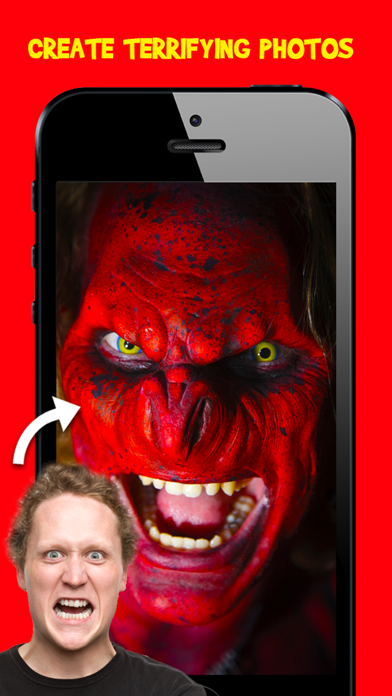


*** A TOP 30 UK Photo & Video App! ***
*** Top 10 in 2 Other Countries ***
* FREE * For a limited Time Only! Install Now!
> GET YOUR FREAK ON!
Turn yourself or friends into a horrific undead Freak Face
with Corpse Cam.
This is the best zombie / monster app available with over 80+ filter masks. Share your hilarious Freak Face on Twitter, Facebook or eMail.
> HOW CORPSE CAM WORKS:
- Simply take a pic or choose an existing one from your camera roll
- Position and resize the guide on the victims face and touch done
- Your pic will morph into a monstrosity!
- Simply touch 'Change Mask' (top, middle button) to choose a different filter
- Click on Edit if you need to reposition or fine tune the effect
- NEW gesture Edit control - turn the guide left or right with two fingers
- NEW gesture Edit control - double tap guide to apply mask
- Share and have fun!
Share your Freak Face's on our FaceBook page:
www.facebook.com/DeadCoolApps
#CorpseCam
#FreakFace
Download now FREE for a limited time! :-)
WARNING: Not recommended for little kids

Remove Objects
- Platform: iOS
- Minimum iOS version: 15.0
- Creator: TAPUNIVERSE LLC
- Price: Free
- User Rating: 4.8 (100.1K Reviews)
Screenshots
"It really does remove without it erasing the background"
"Very helpful in upgrading photos!"
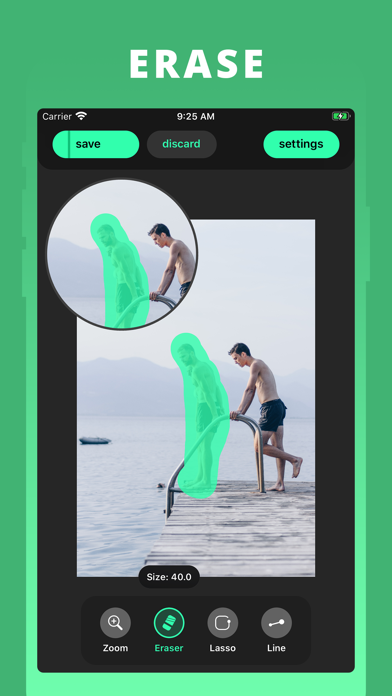
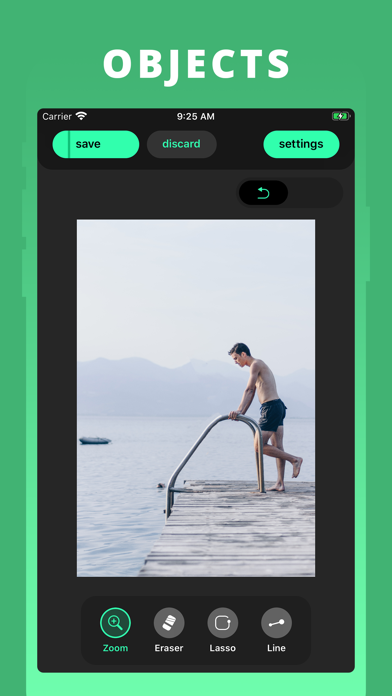
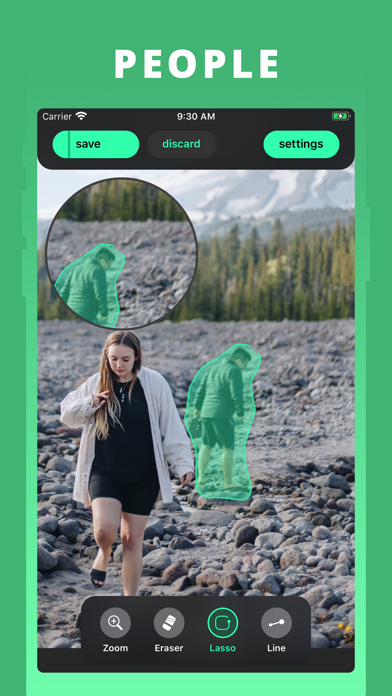
Easily remove any thing from your photos with 100% satisfaction guaranteed.
Our advanced AI technology can guess and draw the missing part of the photo with super realistic result.
This app will be very useful in using to remove objects, people, blemish, pimple, acne...
Smart Eraser:
• You can subscribe to unlock Smart Eraser, an AI-powered object removal that provides super realistic result.
• Subscription auto-renew at the end of current period, unless cancelled 24-hours in advance prior to the end of the current period. The subscription fee is charged to your iTunes account at confirmation of purchase. You may manage your subscription and turn off auto-renewal by going to your Account Settings after purchase. Per Apple policy, no cancellation of the current subscription is allowed during active subscription period. Once purchased, refunds will not be provided for any unused portion of the term.
Terms of use: https://tapuniverse.com/terms/
Privacy policy: https://tapuniverse.com/policy/

TikTok
- Platform: iOS
- Minimum iOS version: 12.0
- Creator: TikTok Ltd.
- Price: Free
- User Rating: 4.7 (16.8M Reviews)
Screenshots
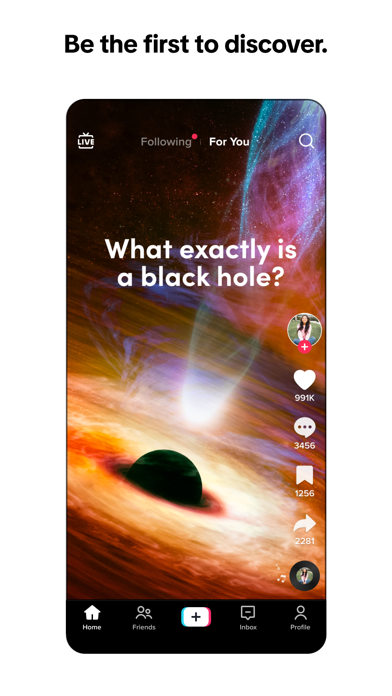

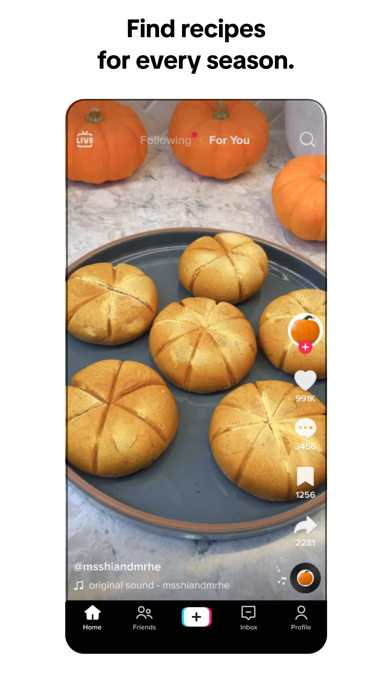
TikTok is THE destination for mobile videos. On TikTok, short-form videos are exciting, spontaneous, and genuine. Whether you’re a sports fanatic, a pet enthusiast, or just looking for a laugh, there’s something for everyone on TikTok. All you have to do is watch, engage with what you like, skip what you don’t, and you’ll find an endless stream of short videos that feel personalized just for you. From your morning coffee to your afternoon errands, TikTok has the videos that are guaranteed to make your day.
We make it easy for you to discover and create your own original videos by providing easy-to-use tools to view and capture your daily moments. Take your videos to the next level with special effects, filters, music, and more.
■ Watch endless amount of videos customized specifically for you
A personalized video feed based on what you watch, like, and share. TikTok offers you real, interesting, and fun videos that will make your day.
■ Explore videos, just one scroll away
Watch all types of videos, from Comedy, Gaming, DIY, Food, Sports, Memes, and Pets, to Oddly Satisfying, ASMR, and everything in between.
■ Pause recording multiple times in one video
Pause and resume your video with just a tap. Shoot as many times as you need.
■ Be entertained and inspired by a global community of creators
Millions of creators are on TikTok showcasing their incredible skills and everyday life. Let yourself be inspired.
■ Add your favorite music or sound to your videos for free
Easily edit your videos with millions of free music clips and sounds. We curate music and sound playlists for you with the hottest tracks in every genre, including Hip Hop, Edm, Pop, Rock, Rap, and Country, and the most viral original sounds.
■ Express yourself with creative effects
Unlock tons of filters, effects, and AR objects to take your videos to the next level.
■ Edit your own videos
Our integrated editing tools allow you to easily trim, cut, merge and duplicate video clips without leaving the app.
■ Obtain access to LIVE benefits to better interact with hosts!
Choose from one-month subscription or auto-renewal subscription to enjoy special LIVE benefits (currently only available in limited regions)
Note:
If you subscribe via Apple, payment will be charged to App Store Account at confirmation of purchase. Subscription automatically renews unless auto-renew is turned off at least 24 hours before the end of the current period. Account will be charged for renewal within 24 hours prior to the end of the current period at the rate of the selected plan. Subscriptions and auto-renewal may be managed by going to Account Settings after purchase.
Terms of Service —
https://www.tiktok.com/legal/terms-of-service
Privacy Policy —
https://www.tiktok.com/legal/privacy-policy
* Any feedback? Contact us at https://www.tiktok.com/legal/report/feedback or tweet us @tiktok_us
BeFunky
- Platform: iOS
- Minimum iOS version: 15.0
- Creator: BeFunky Inc
- Price: Free
- User Rating: 4.6 (9.5K Reviews)
Screenshots
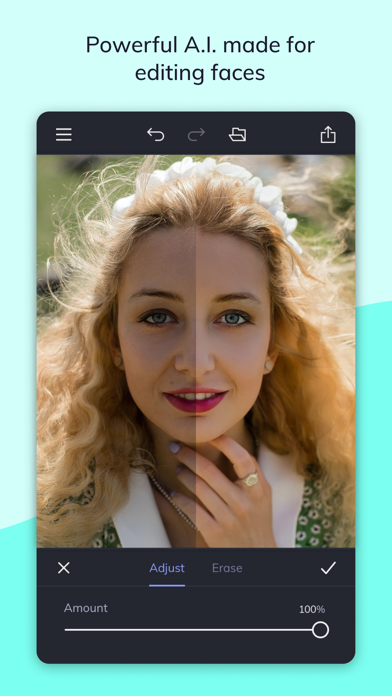
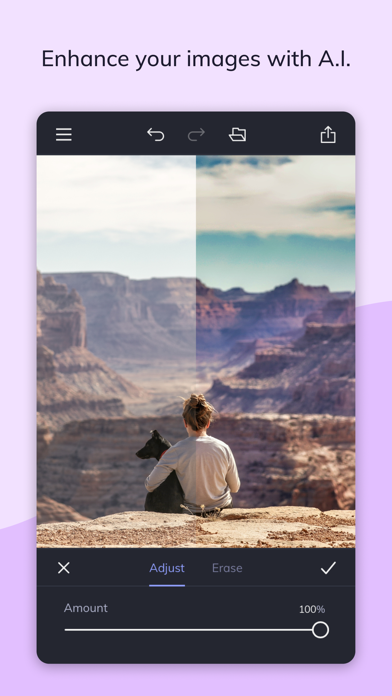
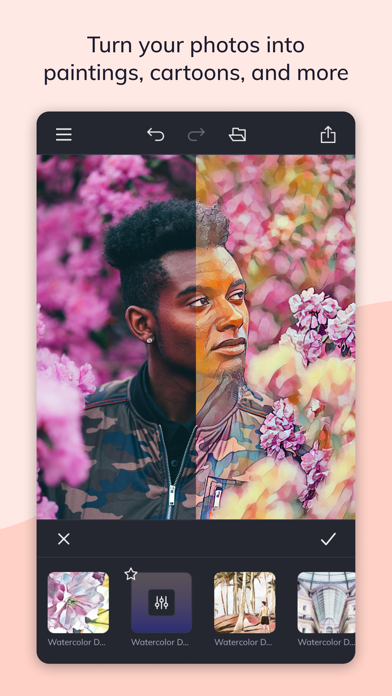
Edit photos. Design beautiful collages. Create stunning design layouts.
With BeFunky, you can do it all! Our AI-powered one-tap photo editing tools, intelligent auto-collage features, and professionally made design templates take the complexity out of your creative process.
With BeFunky, there’s NO ADS or registration necessary!
TURN YOUR PHOTOS INTO PAINTINGS, CARTOONS, SKETCHES, AND MORE
BeFunky’s Artsy effects are the most unique feature of our Photo Editor. With one tap, your photos will take on stunning, artistic characteristics. From realistic textures to natural-looking brush strokes and saturated color palettes, our Artsy effects will instantly turn your photo into a work of art!
ENHANCE IMAGES IN A SINGLE TAP
With a single tap, intelligently intensify colors, balance exposure, and correct contrast to make your photos stand out. We also have a portrait-specific enhancer that does all of the above and also softens fine lines and blemishes, whitens teeth, and more.
REMOVE BACKGROUNDS AND ERASE UNWANTED OBJECTS
Easily remove distracting image backgrounds, turn a dreary sky into sunshine, and erase unwanted objects from the background of your photos. With our collection of AI-powered removal tools, you’ll always have the right tool for the job.
RESTORE OLD PHOTOS
Bring your old family photos into the modern age by correcting sun damage, removing scratches, and increasing clarity. It can even colorize your B&W photos!
CREATE PHOTO COLLAGES WITH A SINGLE TAP
Generate the optimal collage layout with our Collage Wizard. It produces high-resolution photo collages without cropping or clipping a single image or losing any details. It’s collage-generating technology like no other!
REMOVE BLUR AND IMPROVE SHARPNESS
BeFunky has all the tools to get your photo looking sharp. Upscale your images to add clarity to small details. Take the blur out of your pictures to increase sharpness. Denoise those low-light photos to bring out details. Get clear, sharp images in a single tap!
ACCESS HUNDREDS OF FREE FONTS
Our Text Editor has many fonts and customization options to add text to photos, designs, and collages. Choose from our collection of hand-selected fonts by our graphic designers, or upload your own fonts!
FREE TEMPLATES FOR QUICK AND EASY GRAPHIC DESIGN
Our design templates offer the perfect starting point for any project. You’ll find thousands of professionally designed templates perfect for birthdays, weddings, social media posts, and more!
APPLY EFFECTS AND FILTERS
Find new ways to get creative! You’ll find everything from Vintage and Chromatic effects to B&W and Pop Art filters to transform your photo in seconds.
BEFUNKY ON ALL YOUR DEVICES
Access your stored projects and images across our mobile and desktop apps by logging in to your BeFunky account.
ACCESS HUNDREDS OF ADDITIONAL PREMIUM FEATURES WITH BEFUNKY PLUS
Subscribe to BeFunky Plus monthly or yearly to access premium photo editing, collage-making, and graphic design tools. Access our Plus features across our mobile and desktop apps by logging into your BeFunky account. Start your Plus membership with a free trial! Limited to one free trial per Apple ID. When you start a trial, select a monthly or yearly subscription term. Once the trial ends, you’ll be charged a subscription fee for your Plus subscription that is charged to your App Store account. Your Plus subscription will auto-renew until auto-renew is turned off. You can manage your BeFunky Plus subscription in your App Store account settings.
Terms of Use: https://befunky.com/terms

Motionleap by Lightricks
- Platform: iOS
- Minimum iOS version: 14.0
- Creator: Lightricks Ltd.
- Price: Free
- User Rating: 4.8 (117K Reviews)
Screenshots
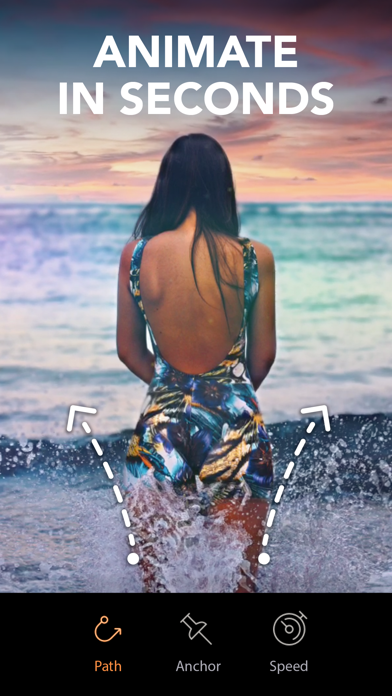
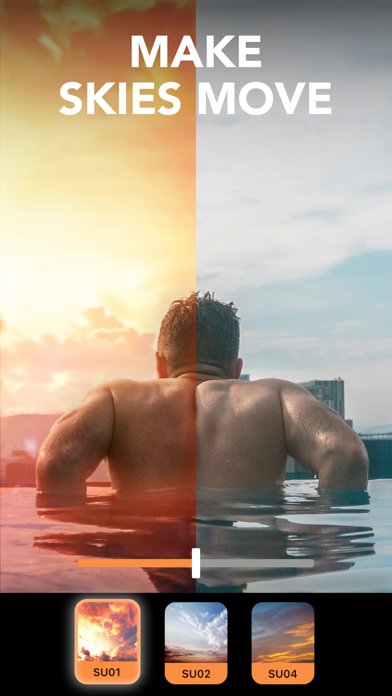
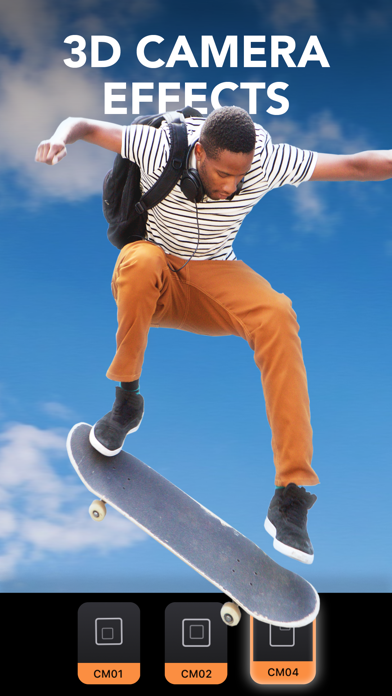
Create moving photos for a unique type of photo art! Animate your photos & magically bring them to life with Motionleap. The newest addition to the award-winning Enlight Creativity Suite of apps, brought to you by Lightricks, takes photo editing to the next level.
Motionleap brings life to images through animation, creating moving pictures that will wow anyone from your friends to Instagram followers. Animate one element or several, drawing attention to parts of your photo that YOU want to come alive. With the same ease of use brought to you in the rest of the Enlight Creativity Suite, including Photofox, Lightleap, and Videoleap (Apple’s App of the Year), Motionleap allows you to easily edit photos with powerful, precise, and easy to use animation tools. In just a few taps animate, add elements & overlays, adjust the speed and watch your image come to life. As a result you’ll get incredible videos that boomerang back and forth or flow like a GIF.
Need inspiration? Follow #Motionleap, then tag your own creations and we’ll feature the best ones!
Get excited about the power of Motionleap features:
ANIMATED PHOTOS MADE EASY
- Animate a photo with a few taps and swipes
- Arrows will show motion direction
- Place anchor points to hold parts of image in place
- Freeze sections of photos with a Freeze brush
AI POWERED WATER ANIMATION
- NEW automated water animation
- Effortless water movement with a single tap
FANTASTIC SKY REPLACEMENT TECHNOLOGY
- Replace bland Skies with colorful sunsets or animated clouds
- Wide variety of automated Skies resembling timelapse
HYPNOTIC GEOMETRIC MOTION
- Geometric photo animation tool creates spinning towers and umbrellas
- Move your favorite historical landmarks in a never before seen way
- Add patterned movement to iconic buildings
VIDEO EFFECTS & OVERLAYS IN A PHOTO EDITOR
- Control movement & animation including speed, direction, and style
- Mimic cinematic movement with Camera FX
- Camera effects & movements include Tilt, Zoom, and ‘Dolly’ effects
- Add fun Overlays to bring movement, mood, & emotion to still photos
- Distort perspective & style with effects
MOVING ELEMENTS IN STILL PHOTOS
- Grab attention with a moving element - candle flickers, coffee steam, or a butterfly
- A new kind of animation between photos, videos, and GIFs
- Add a cinemagraph effect with a moving element in a still photo
INFINITE ARTISTIC POSSIBILITY
- Animate any photo element: hair, waves, clouds & clothing
- Push your imagination with Motionleap high-end & easy animation tools
- Create moving masterpieces that serve your social media presence, business, or personal brand
HIGH END PHOTO EDITOR
- Intuitive UI means anyone can animate & create professional results
- Animate with freeform drawn paths for intuitive, freehand-style
in unlimited areas
- Export to social media in multiple formats
- Export as incredible Live Wallpaper
- Unlimited projects & Adjustments
Terms of use: https://static.lightricks.com/legal/terms-of-use.pdf
Privacy policy: https://static.lightricks.com/legal/privacy-policy.pdf


Comments
Post your comments