

Top 10 Navigation Apps for iOS
Join me on a journey through the ever-evolving landscape of iOS applications as I showcase the best of the best, providing insightful reviews, highlighting standout features, and offering expert recommendations. Whether you're a seasoned iOS aficionado or a newcomer to the platform, my curated selection aims to cater to diverse tastes, preferences, and needs, ensuring that you stay informed and inspired in your quest for the ultimate app experience.

Waze Navigation & Live Traffic
- Platform: iOS
- Minimum iOS version: 16.0
- Creator: Waze Inc.
- Price: Free
- User Rating: 4.8 (3.2M Reviews)
Screenshots


App Store Description
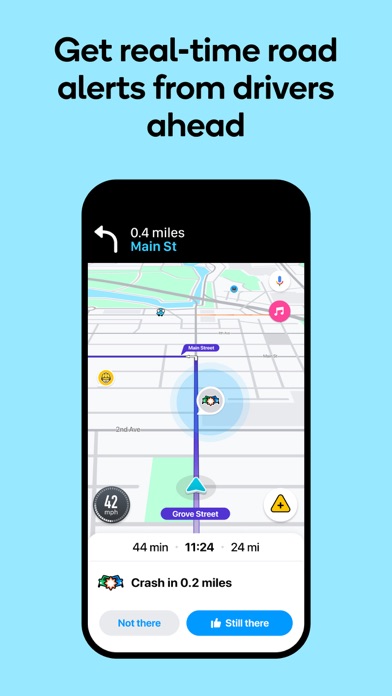
Know what's ahead on the road with the help from other drivers. Waze is a live map that harnesses the local knowledge of tens of millions of drivers around the world. Drivers safely and confidently reach their everyday destinations thanks to Waze map’s GPS navigation, live traffic updates, real-time safety alerts (including construction, accidents, crashes, police, potholes, and more), and accurate ETAs.
Make your next drive more predictable and stress-free:
• Get there faster with real-time directions, accurate ETAs, and automatic rerouting based on live traffic, incidents, and road closures
• Even if you know the way, avoid surprises on the road ahead with safety alerts for accidents, crashes, construction, objects on the road, potholes, speed bumps, sharp curves, bad weather, emergency vehicles, railroad crossings, and more
• Steer clear of tickets by knowing where police and red light & speed cameras are located
• Share what’s happening on the road with other drivers by reporting live incidents and hazards
• Stay informed of upcoming speed limit changes, and keep your speedometer in check
• Know which lane to be in with multi-lane guidance
• See toll pricing and choose to avoid tolls along your routes
• Add road passes and vignettes for HOV lanes and restricted traffic zones
• Find gas / fuel stations & prices and EV charging stations along your route
• Locate and compare parking lots and their prices near your destination
• Use voice-guided turn-by-turn navigation from a variety of languages, local accents, and your favorite celebrities
• Plan your next drive by checking ETAs by future departure or arrival times
• Use your favorite audio apps (for podcasts, music, news, audiobooks) directly within Waze
• Sync Waze to your car’s built-in display through Apple CarPlay
* Some features are not available in all countries
* Waze navigation is not intended for emergency or oversized vehicles
You can manage your in-app Waze Privacy Settings at any time. Learn more about the Waze privacy policy here, www.waze.com/legal/privacy.

Google Maps
- Platform: iOS
- Minimum iOS version: 16.0
- Creator: Google
- Price: Free
- User Rating: 4.7 (7.1M Reviews)
Screenshots
App Store Description
Explore and navigate the world with confidence using Google Maps. Find the best routes with live traffic data and real-time GPS navigation for driving, walking, cycling, and public transport. Discover over 250 million businesses and places - from restaurants and shops to everyday essentials – with photos, reviews, and helpful information.
Navigate the world, the way you want:
• Get to where you need to go with fuel-efficient route options
• Find the best route with real-time, turn-by-turn voice, and on screen navigation
• Save time with automatic rerouting based on live traffic, incidents, and road closures
• Catch the bus, train, and ride-share effortlessly, with real-time updates
• Find bike or scooter rentals to get around more easily
Plan trips and experiences effortlessly:
• Preview an area before you go (e.g. parking, entrances) with Street View
• Use Immersive View to experience what landmarks, parks and routes look like, and even check the weather so you can be ready in advance
• Create custom lists of your favorite saved places and share with others
• Order delivery and takeout, make reservations, and book hotels
• Don't get lost with offline maps in an area with bad signal
• Search for local places and things to do, and decide based on user reviews and photos
Discover and explore like a local:
• Explore with confidence knowing 500 million users contribute and keep the map up to date each year
• Avoid the crowds by seeing how busy a place is before you get there
• Use Lens in Maps to see walking directions overlaid on the real world
• Filter restaurants by cuisine, hours, price, rating and more
• Ask questions about a place, from dishes to parking, and get quick answers
Some features not available in all countries or cities
Navigation isn't intended to be used by oversized or emergency vehicles

Apple Maps
- Platform: iOS
- Minimum iOS version: 10.0
- Creator: Apple
- Price: Free
- User Rating: 2.4 (51.2K Reviews)
Screenshots
App Store Description
Apple Maps is the best way to navigate and explore the world - all with your privacy protected.
What's new:
• Topographic maps with stunning details like contour lines, hill shading, hiking trail information and more.
• Hikes across U.S. national parks — with details like route type, length, and elevation — can be saved to your device for access offline.
• Custom walking and hiking routes can be created and saved for easy access — even while offline.
• Turn-by-turn navigation for hikes and custom walking routes helps you stay on track.
• Search allows you to quickly discover and compare places by browsing photos, ratings, price level and more, all without leaving search.
• An all-new Places Library allows you to easily save places and add a personal note about them.
• Offline maps sync directly to your Watch for offline use, even when your phone isn’t nearby or powered on.
Get around with ease.
• Use voice-guided turn-by-turn navigation for driving, cycling, or walking.
• Download offline maps to your iPhone or Watch and explore them while offline. View place information like hours and ratings and get turn-by-turn directions for driving, walking, cycling, or transit.
• Get real-time transit schedules and directions via subways, buses, trains, and ferries.
• Check real-time traffic conditions, incidents, and road closures.
• See speed limits for the road you’re driving on and get guidance on which lane you should be in before your next move.
• Report incidents in the Maps app and see incidents reported by other users, including accidents, hazards, and speed checks.
• See when you’re approaching speed and red-light cameras along your route.
• Get cycling directions to route along bike lanes, paths, and roads while taking elevation and busy streets into account.
• Plan your drive or transit journey by choosing a future departure or arrival time.
• Immersive walking directions show step-by-step guidance in augmented reality.
• Glance at the Lock screen for turn-by-turn navigation, transit directions, and Time to Leave notifications.
• Find your parked car and get directions to it.
Discover and interact with places.
• Look up information about places, including hours, photos, ratings, reviews, and support for Apple Pay.
• Rate and add photos to places you’ve visited.
• Discover great places to eat, shop, and explore with curated Guides from trusted brands and experts.
• Make restaurant reservations, view menus, or place an order right within Maps.
• Browse detailed indoor maps for hundreds of malls and airports worldwide.
• Ask Siri to find places you’d like to go.
Visit new places without leaving home.
• Detailed city maps display elevation, landmarks, crosswalks and turn lanes, 3D views to navigate complex interchanges, and more in San Francisco, Los Angeles, New York, Paris, London, Toronto, Las Vegas, Sydney, and more.
• Interactive 3D globe shows enhanced details for mountain ranges, deserts, forests, and oceans.
• Explore cities with Look Around, which offers a ground-level, high-resolution, interactive 3D experience.
• View major cities around the world from the air with photo-realistic, interactive 3D views using Flyover.
Use any of your devices.
• Access your saved places from your iPhone, iPad, Mac, or Apple Watch using iCloud.
• Use Maps with your car’s display in your CarPlay-equipped vehicle.
• Use Maps with your Apple Watch to get taps on your wrist when it’s time to make a turn.
• Plan trips on your Mac and share them with Maps on your iOS device.
Availability and features may vary by country or region.
Apple Business Connect
Business owners can use Apple Business Connect to take control of how their business is seen across Apple. Claim a location and add crucial information like business hours or address, and useful details including photos, a logo and cover image, limited time special offers and events, Good to Know information, and more. Visit businessconnect.apple.com for more details.

MapQuest GPS Navigation & Maps
- Platform: iOS
- Minimum iOS version: 15.1
- Creator: MapQuest Holdings LLC
- Price: Free
- User Rating: 4.2 (20.6K Reviews)
Screenshots
App Store Description
Get where you need to go with the MapQuest turn-by-turn GPS Navigation app. Whether it’s using voice navigation for walking or driving directions or exploring points of interests on the map, MapQuest has the tools you need to navigate the United States and Canada.
Map and Navigation Features:
• Hands-free driving directions with Apple CarPlay Connectivity
• Up-to-date satellite imagery
• Turn-by-turn voice navigation for walking and driving directions
• Real-time traffic updates to help you find alternate ways to your destination
• Routes designed to help save you time, gas and money
• A speedometer so you compare your current speed to the speed limit along your route
• Favorites so you can store locations, like your home and work addresses, for quick-and-easy maps and directions
• Route choices so you have more suggestions to get where you need to go faster
• Route options that help you avoid things like highways and toll roads
• Multipoint routes so you can include more than just one stop
• Planning: create routes starting from somewhere other than your current location
Do More than Get Directions:
• Search and explore nearby points of interest like restaurants, bars, gas stations and hotels, with our layers bar
• Find great hotel deals and book them directly from within the MapQuest: Maps & GPS Navigation app
• Feed your inner foodie and discover new places to eat: browse menus, make reservations and order food through OpenTable and GrubHub points of interest
• Save money by comparing prices of nearby gas stations
• View local weather so you can plan ahead
Please Note: Continued use of GPS running in the background can dramatically decrease battery life.
Terms of Use: https://system1.com/terms
Sygic GPS Navigation & Maps
- Platform: iOS
- Minimum iOS version: 16.0
- Creator: Sygic a. s.
- Price: Free
- User Rating: 4.6 (56.5K Reviews)
Screenshots


App Store Description
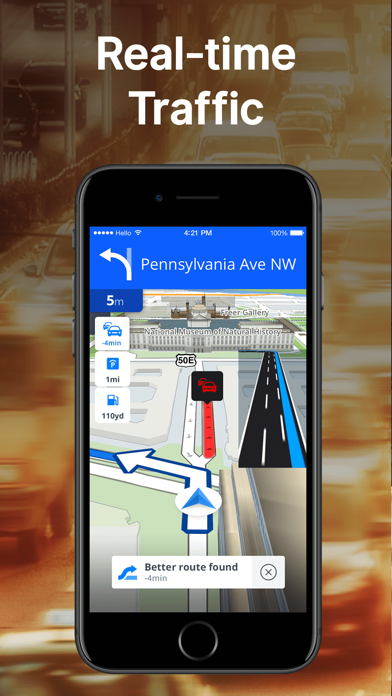
Sygic GPS Navigation & Maps is innovative GPS navigation app with monthly-updated offline maps and with precise live traffic & speed camera alerts, both updated in real-time. It‘s trusted by more than 200 million drivers worldwide. Offline 3D maps are stored on your phone for GPS navigation without an internet connection. We update the maps multiple times per year for free, so that you can always rely on Sygic GPS Navigation.
NAVIGATE ANYWHERE, EVEN WITHOUT AN INTERNET CONNECTION
• 3D Offline maps of all countries in the world, from TomTom and other providers
• Free map updates multiple times per year
• Voice-guided GPS navigation with precise directions and spoken street names
• Millions of interesting Places (POI)
• Pedestrian GPS navigation with walking directions and tourist attractions (POI)
• Customize your navigation arrow. Try everyday car, van or even formula.
ESCAPE THE TRAFFIC
• Avoid traffic jams with the most accurate real-time traffic information with data collected from more than 200 million users worldwide*
STAY SAFE
• Advanced safety features make driving in unfamiliar territories easier
• Speed limit warnings show you the current speed limit and the upcoming speed limit changes
• Dynamic Lane Assistant guides you into the correct lane
• Head-up Display (HUD) projects navigation onto the windshield of your car, making driving at night safer
• Dashcam records the road ahead and automatically saves a video in case of an accident
• Real View Navigation is an augmented reality feature for even better and safer driving experience
• Real-time route sharing lets you share your estimated time of arrival & current position on a map*
• Compatible with CarPlay - all navigation features on your car’s built-in display.
• Cockpit shows you the real-time performance of your car.
• Wrong-way warning (in partnership with Bosch)**. If you are driving in the wrong way or someone is driving in the opposite direction, we will warn you.*
MOTORBIKE MODE
Switch to a professional motorbike navigation profile built for two wheels:
• Twisty Routing: Skip highways for the best curves and hills.
• Glove-friendly UI: Large buttons and high contrast for easy use.
• Lean & Elevation: Real-time side tilt and route altitude tracking.
• Safety Alerts: Glowing screen edges for speed limits and hazards.
• Offline Maps: Reliable motorbike GPS without mobile signal.
SAVE MONEY ALONG YOUR ROUTE
• Park easily with parking place suggestions and live info about prices and availability*
• Set your fuel type and fill up for the best price with live information about fuel prices*
• Avoid speeding tickets with Speed camera warnings*
• Save money on roaming charges with offline maps
Try Premium+ for free! Enjoy a 7-day trial of all premium features. Afterward, choose to subscribe or continue with the basic version.
Subscriptions will be charged to your credit card through your iTunes account. Your subscription will automatically renew unless canceled at least 24 hours before the end of the current period. You will not be able to cancel the subscription once activated. Manage your subscriptions in Account Settings after purchase.
Questions? Visit sygic.com/support. We’re here 7 days a week.
Love Sygic? Rate us or spread the word at sygic.com/love.
*Requires internet connection.
Feature glossary: sygic.com/what-is
Privacy Policy: www.sygic.com/company/privacy-policy
Terms of Use: www.sygic.com/company/terms-of-use
Note: Sharing videos from Dashcam is forbidden by law in these countries: Austria, Belgium, Luxembourg, Switzerland, Slovakia, Spain.
Note 2: Dashcam, Traffic Sign Recognition, and Real View are part of the new feature SmartCam. SmartCam merge all camera features into one. The SmartCam is a part of our Premium+ subscription.
By installing, copying or using all or any portion of this software you accept all the terms and conditions of this agreement: https://www.sygic.com/company/eula

TomTom - Maps & Traffic
- Platform: iOS
- Minimum iOS version: 15.5
- Creator: TomTom
- Price: Free
- User Rating: 4.6 (1.9K Reviews)
Screenshots
App Store Description
TomTom – GPS Navigation App for Every Driver
Meet your new go-to navigation app. Whether you're planning a weekend road trip, commuting to work, or simply exploring new roads, TomTom provides the GPS navigation experience drivers trust. Built with the latest maps, real-time traffic alerts, and precision routing, this navigation app is designed to get you where you need to go—faster and safer.
Navigate With Confidence
Enjoy detailed turn-by-turn GPS navigation globally. TomTom’s regularly updated maps offer accurate road geometry, lane guidance, and intersection views—so you never miss a turn. It’s smart, flexible, and ready for the road.
Real-Time Traffic Information
Avoid delays and bottlenecks with accurate traffic data updated in real time. Receive warnings about road closures, congestion, and incidents ahead. With live traffic updates, the app automatically adjusts your navigation route to keep you moving efficiently.
Complete Driving Support
• More than just a GPS tool, TomTom is your all-in-one driving companion.
• Get speed camera alerts and current vs. limit speed info
• Choose multiple route types: fastest, shortest, or most efficient
• View real-time traffic flows and lane suggestions
Apple CarPlay Compatibility
Project your GPS navigation experience to your car’s screen with Apple CarPlay. The clean interface is distraction-free—no ads, no pop-ups—just clear maps, directions, and traffic info designed for safer driving.
Smart Features for Smarter Navigation
TomTom helps you make the most of your drive with essential navigation tools:
• Detailed maps for cities and rural areas alike
• Community-powered reports for hazards and speed traps
• Location-based suggestions for rest stops, food, and services
• Reliable ETAs powered by live traffic and real-time rerouting
Safe, Private, and Ad-Free
Focus on the road ahead. With TomTom, your data stays private, and your navigation is never interrupted by ads or tracking.
Download the TomTom GPS Navigation app now – drive smarter with real-time traffic, precise maps, and expert-level GPS navigation.
________________________________________________________________________________________________________________
Use of TomTom app is subject to Terms & Conditions at: https://www.tomtom.com/navigation/mobile-apps/tomtom-app/disclaimer/

Yandex Navi – navigation, maps
- Platform: iOS
- Minimum iOS version: 16.0
- Creator: Direct Cursus Computer Systems Trading
- Price: Free
- User Rating: 4.7 (20.1K Reviews)
Screenshots

App Store Description
Yandex Navigator is the perfect companion for drivers.
It helps you find your way around the city with fast, convenient directions that avoid traffic jams and road closures. If road conditions change, Yandex Navigator adjusts your route on the fly.
No surprises on the road
Get detailed directions as you drive and find out about road conditions ahead of time. The app warns you about traffic, speed limits, cameras, and road closures.
It also lets you know when there’s an upcoming turn or complex intersection. And since it does that using voice notifications, you can keep your eyes on the road.
Get multi-stop directions
There’s no need to waste time planning the most efficient routes if you need to make multiple stops along the way. Let Yandex Navigator do the work for you.
Plan a route with 4-10 stops and tap "Optimize." Yandex Navigator will reorder them to make the route as quick and convenient as possible.
Get your bearings anywhere
No matter where you are, Yandex Navigator shows you how to get to where you need to go. Search for restaurants, cafes, bars, shops, gas stations, pharmacies, stadiums, law firms, or anything else, navigating there quickly and stress-free.
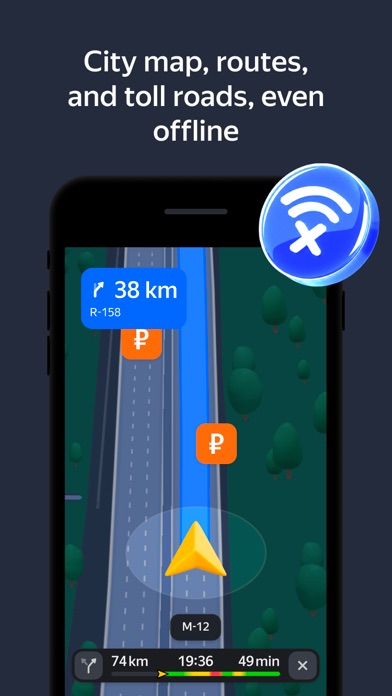
Never get lost offline
Find places and plan routes even without a connection once you’ve downloaded offline maps for your city or region.
Pay for parking
Look for convenient parking spots near your destination. And since you can pay for them right from Yandex Navigator, you don’t need other apps.
Pay for fuel
Choose your fuel type, select how much you need, and pay for it without leaving the app. Just tap the fuel tank button, and you'll see all nearby gas stations along with their available payment options.
Steer clear of poor road conditions
Turn on "Avoid bad and unpaved roads" in the route parameters or app settings. Yandex Navigator will guide you along smooth, paved roads wherever possible.
Plan your trips ahead of time
Adjust departure date and time settings to see how long your route is in advance.
For example, you can plan how to get to the airport the evening before your flight by setting the departure date for the next day. Yandex Navigator shows how long it usually takes to drive that route at that time, taking into account the usual traffic conditions. You'll definitely get there on schedule.
Get directions tailored to your vehicle
If you're driving a truck or other freight vehicle, select "Add truck" in the app settings and describe your vehicle's characteristics. Yandex Navigator will get directions that account for any weight, size, or emission limitations.
Monitor traffic in real time
Yandex Navigator updates your route details when traffic conditions change. You can also add widgets to your phone’s home screen that show traffic levels for your favorite routes so you can keep track of them even without opening the app.
See your route laid out in front of you
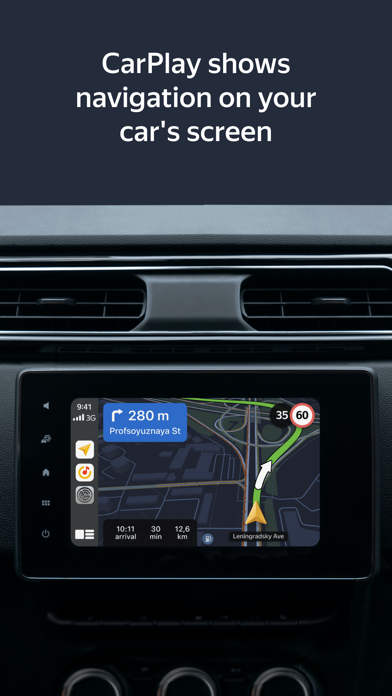
Yandex Navigator is available for CarPlay, making it easy to follow your route on the screen in front of you without getting distracted by your phone. To make that work, you'll need a Yandex Plus subscription.
The app works in Russia, Abkhazia, Azerbaijan, Armenia, Belarus, Georgia, Kazakhstan, Kyrgyzstan, Moldova, Tajikistan, Turkey, Uzbekistan.
Terms of Use: apple.com/legal/itunes/appstore/dev/stdeula
Privacy policy: yandex.com/legal/confidential

MAPS.ME: Offline Maps, GPS Nav
- Platform: iOS
- Minimum iOS version: 15.0
- Creator: Convexity Holdings AG
- Price: Free
- User Rating: 4.7 (76.8K Reviews)
Screenshots
App Store Description
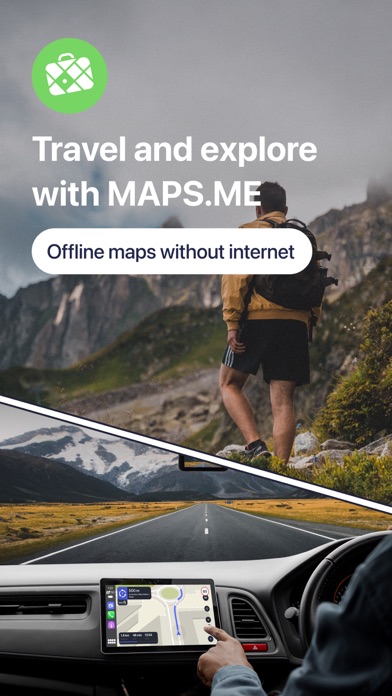
Fast, detailed and entirely offline maps with turn-by-turn navigation – trusted by over 140 million travelers worldwide.
OFFLINE MAPS
Save mobile data; no internet is required.
NAVIGATION
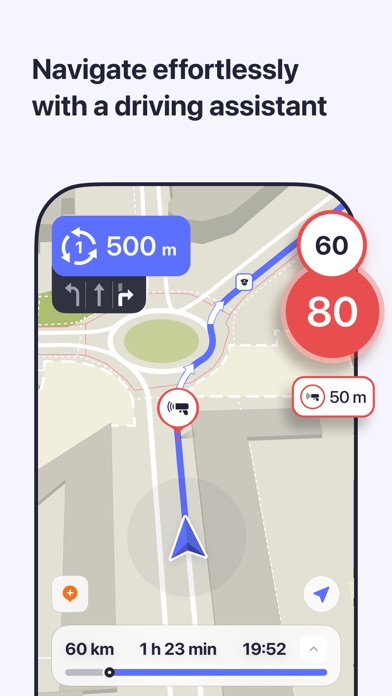
Use driving, walking and cycle navigation anywhere in the world.
TRAVEL GUIDES
Save you time planning the trip and never miss an interesting place with our ready-made travel guides. We've partnered with the best travel content creators to build travel guide catalog for hunderds of destinations around the world. Whether you prefer city travel, car trips or outdoor activities you will find a great choice of guides for a perfect journey.
INCREDIBLY DETAILED
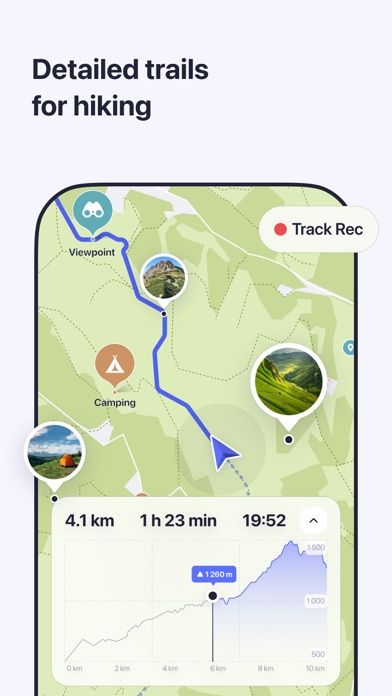
Directions to points of interest (POIs), hiking trails and places missing from other maps.
UP-TO-DATE
Maps are updated by millions of OpenStreetMap contributors daily. OSM is an open-source alternative to Google Maps and Apple Maps.
FAST AND RELIABLE
Offline search, GPS navigation along with optimized maps to effectively save memory space.
BOOKMARKS
Save locations you love and share them with your friends.
AVAILABLE WORLDWIDE
Essential for home and travel.
MAPS.ME is free to download and use.
AND MORE!
– Search through different categories, e.g. restaurants, cafes, tourist attractions, hotels, ATMs and public transport (metro, bus, etc).
– Make hotel bookings via Booking.com directly from the app.
– Share your location via text message or social media.
– When cycling or walking, the app shows whether the way is uphill or downhill.
Continued use of GPS running in the background can dramatically decrease battery life.
If you have any questions, visit our Help Center: support.maps.me.
If you are unable to find the answer to your question, contact us at: feedback@maps.me.
Follow us on FB: http://www.facebook.com/mapswithme | Twitter: @MAPS_ME
Privacy Policy: https://maps.me/policy/
Terms of Use: https://maps.me/terms/

Google Earth
- Platform: iOS
- Minimum iOS version: 17.0
- Creator: Google
- Price: Free
- User Rating: 4.0 (46.1K Reviews)
Screenshots

App Store Description
Create and collaborate on immersive, data-driven maps from anywhere, with the new Google Earth.
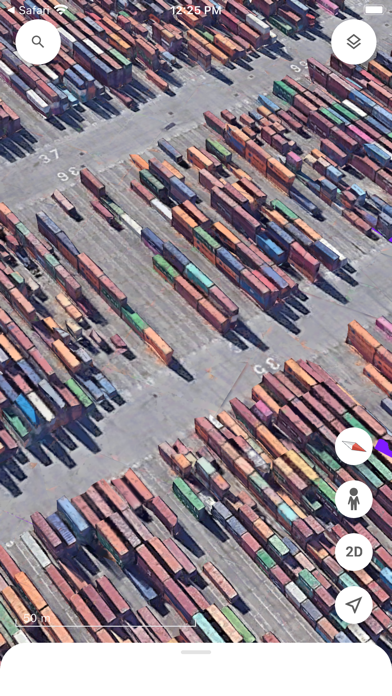
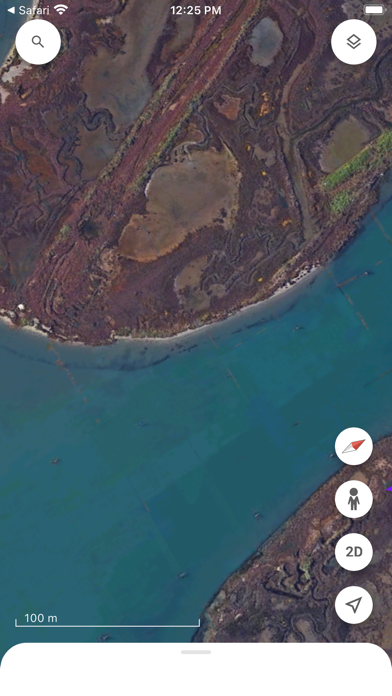
See the world from above with high-resolution satellite imagery, explore 3D terrain and buildings in hundreds of cities, and dive in to streets and neighborhoods with Street View's 360° perspectives.


Comments
Post your comments