

Top 10 Must-Have iPhone Apps for Productivity
In today's fast-paced digital world, our smartphones have become indispensable tools for enhancing productivity and streamlining daily tasks. With the vast array of apps available on the App Store, navigating through the sea of options to find the most effective productivity tools can be overwhelming. Whether you're a busy professional, a student juggling multiple responsibilities, or someone simply looking to make the most out of their time, having the right iPhone apps at your fingertips can make all the difference.
In this article, we've meticulously curated a list of the top 10 must-have iPhone apps for productivity. From task management and note-taking to time tracking and document scanning, these apps are designed to help you stay organized, focused, and efficient in all aspects of your life. Join us as we explore each app's unique features, user-friendly interfaces, and practical functionalities that are sure to elevate your productivity game to new heights. Whether you're tackling work projects, managing personal goals, or striving for a better work-life balance, these indispensable apps will revolutionize the way you approach productivity on your iPhone. Let's dive in and discover your new productivity companions!

Habit Tracker
- Platform: iOS
- Minimum iOS version: 13.0
- Creator: Davetech Co., Ltd.
- Price: Free
- User Rating: 4.8 (92.1K Reviews)
Screenshots
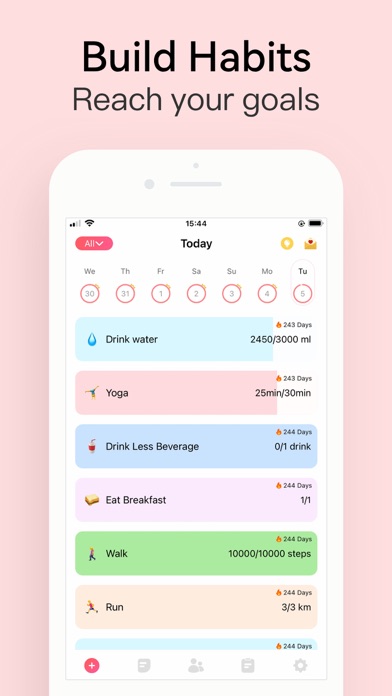
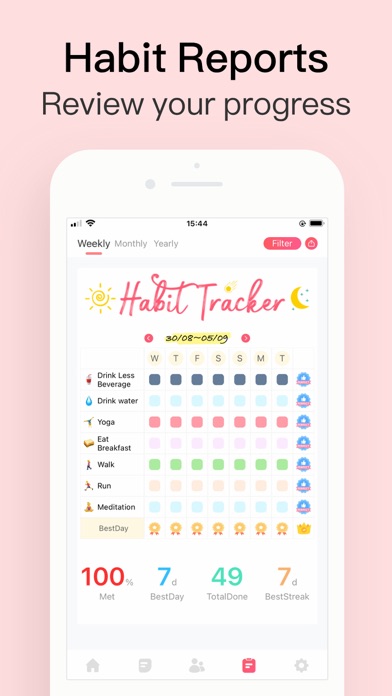
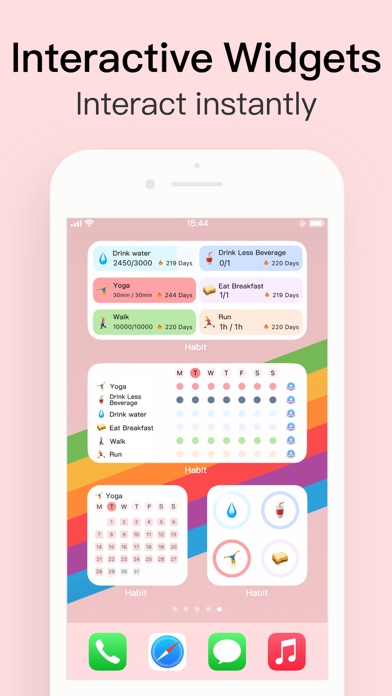
Habit Tracker is an app to help you build habits & reach goals.
It will remind you when needed, track habits with stats and notes, analyze habits with charts, and motivate you toward success. You can also share habits with friends to track together.
----Useful Features----
- Auto tracking: water intake, steps, exercise time, calories burned...etc, powered by Apple Health
- Two types of habits: build good habits, quit bad habits
- Goal units: track with volume and units, not just did or not
- Group habits: build, remind & track habits with people you care
- Powerful stats: detailed information to evaluate your results
- Habit reports: weekly, monthly & yearly reports
- Mood tracker: track your mental wellness
- Reminders: time-based or location-based reminders
- Repeated reminders: You can set more than one reminder for any habit
- Custom reminder sound: You can record or import reminder sound
- Home screen widgets: different widgets designed for the home screen
- Lock screen widgets: view your habits anytime
- Today widgets: quickly log your habits without opening the app
- Habit memo: your own habit diary
- Yearly view: unique yearly view puts everyday results together
- Focus time: habits with time units can run a countdown and stopwatch timer
- Cloud backup & sync: data across different devices
- Daily words: wallpapers and quotes/affirmations to motivate you
- Safety lock: protect your privacy with faceID or touchID
- Compete with friends: see who's doing better
- Dark mode: for those black lovers
- Habit ideas: discover new habits that are worth trying (will be updated frequently)
- Upcoming features: we will add more features like mood tracker, enhanced water tracker & step counter, and more Health connected habits
With Habit, it will make your daily routine simple, make your mind clear, make your goal achievable, make your life better, and finally make your dream come true.
Download now, you won't regret.
NOTE: Habit reads data for some habits from Apple Health app (Steps, energy, walking, running ..etc). No data is being sent outside of your device. Health app access required.
EULA: https://www.eulatemplate.com/live.php?token=MRcYNs6U8BXMLSDWG0BzEqLPPtL2Vc46
Google Drive
- Platform: iOS
- Minimum iOS version: 15.0
- Creator: Google
- Price: Free
- User Rating: 4.8 (6M Reviews)
Screenshots
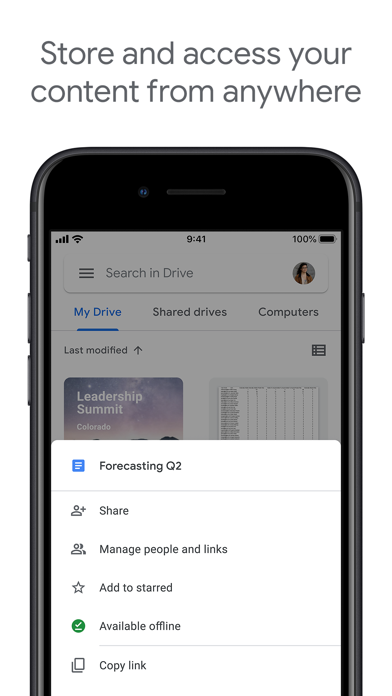
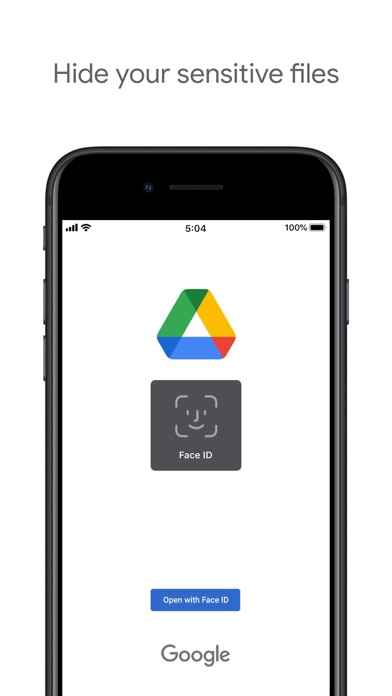

Google Drive, part of Google Workspace, is a safe place to back up and access all your files from any device. Easily invite others to view, edit, or leave comments on any of your files or folders.
With Drive, you can:
• Safely store and access your files anywhere
• Quickly access recent and important files
• Search for files by name and content
• Share and set permissions for files and folders
• View your content on the go while offline
• Receive notifications about important activity on your files
Google Workspace subscribers have access to additional Drive functionality, including:
• Easily managing users and file sharing to help meet data compliance needs
• Sharing files and folders directly with groups or teams within your organization
• Creating a shared drive to store all of your team’s content
Learn more about Google Apps update policy: https://support.google.com/a/answer/6288871
Google accounts get 15GB of storage, shared across Google Drive, Gmail, and Google Photos. For additional storage, you can upgrade to Google Workspace or Google One as an in-app purchase. Subscriptions start at $1.99/month for 100 GB in the US, and can vary by region.
Storage subscriptions purchased from the app will be charged to your iTunes Account, and automatically renew unless auto-renew is turned off at least 24 hours before the end of the current period. Subscriptions and auto-renewal may be managed by going to iTunes Account Settings after purchase.

Microsoft Outlook
- Platform: iOS
- Minimum iOS version: 16.0
- Creator: Microsoft Corporation
- Price: Free
- User Rating: 4.8 (6.7M Reviews)
Screenshots
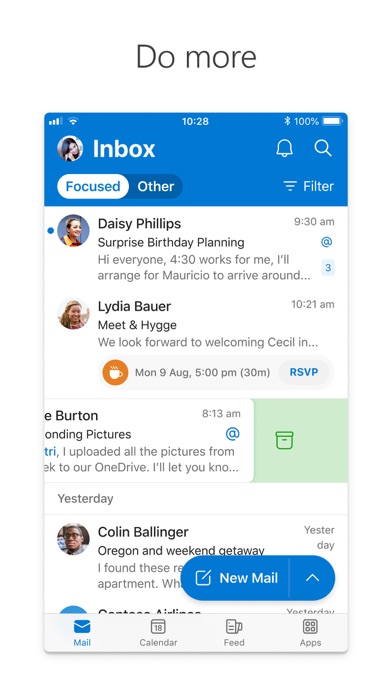
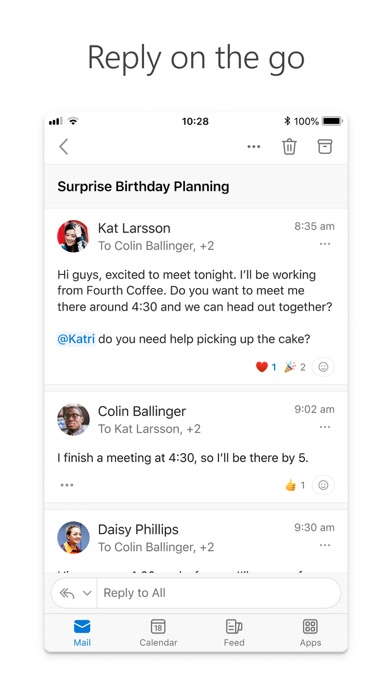
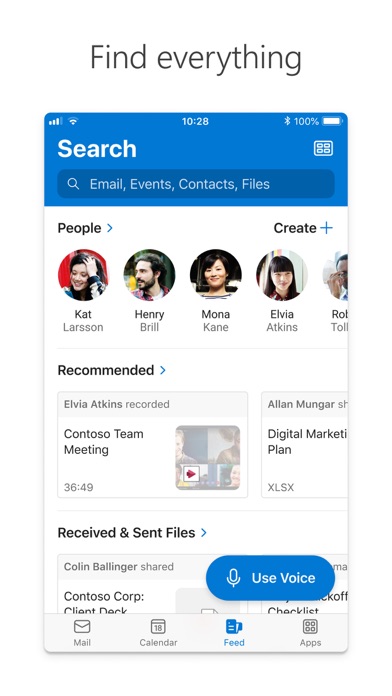
Outlook lets you bring all your email accounts and calendars in one convenient spot. Whether it's staying on top of your inbox or scheduling the next big thing, we make it easy to be your most productive, organized, and connected self.
Here's what you'll love about Outlook for iOS:
- Focus on the right things with our smart inbox - we help you sort between messages you need to act on straight away and everything else.
- Swipe to quickly schedule, delete and archive messages.
- Share your meeting availability with just a tap and easily find times to meet with others.
- Find everything you're looking for with our new search experience, including files, contacts, and your upcoming trips.
- View and attach any file from your email, OneDrive, Dropbox, and more, without having to download them to your phone.
- Open Word, Excel, or other Office document attachments to edit them directly in the corresponding app and attach them back to an email.
--
Outlook for iOS works with Microsoft Exchange, Office 365, Outlook.com (including Hotmail and MSN), Gmail, Yahoo Mail, and iCloud.
--
To make an in-app purchase of a Microsoft 365 Family or Personal subscription, open the app, go to Settings, and tap on Upgrade next to your Outlook.com or Hotmail.com account. Subscriptions begin at $6.99 a month in the US, and can vary by region. With a Microsoft 365 subscription, you get 1TB of storage for each user, access to all features in Word, Excel, and PowerPoint on iPad, iPhone, and iPod touch, and you can install Word, Excel, PowerPoint, Outlook and OneNote on PCs or Macs.
Microsoft 365 subscriptions purchased from the app will be charged to your iTunes account and will automatically renew within 24 hours prior to the end of the current subscription period, unless auto-renewal is disabled beforehand. To manage your subscriptions or to disable auto-renewal, after purchase, go to your iTunes account settings. A subscription cannot be cancelled during the active subscription period. Any unused portion of a free trial period, if offered will be forfeited when the user purchases a subscription to that publication, where applicable.
Privacy and Cookies: https://go.microsoft.com/fwlink/?LinkId=521839
Terms of Use: http://go.microsoft.com/fwlink/?LinkID=530144
Contract Summary: https://www.microsoft.com/microsoft-365/outlook/contract-summary

Gmail - Email by Google
- Platform: iOS
- Minimum iOS version: 15.0
- Creator: Google
- Price: Free
- User Rating: 4.7 (1.7M Reviews)
Screenshots
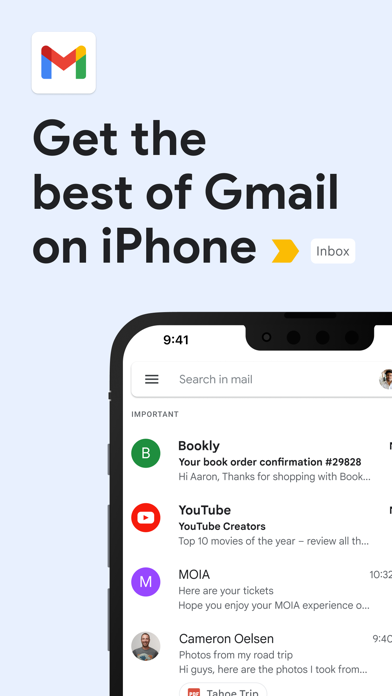
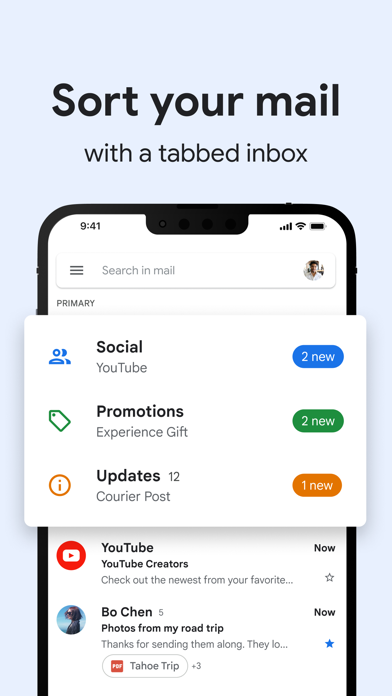
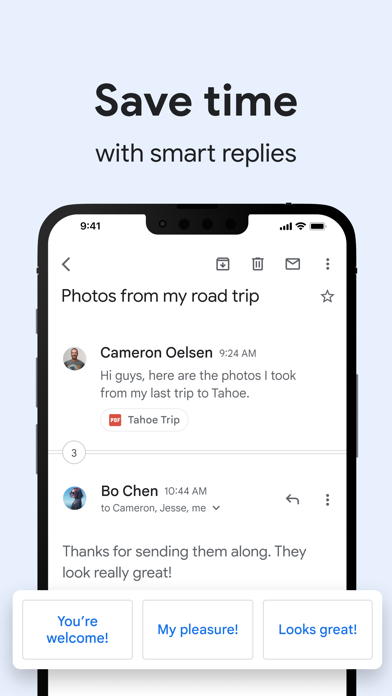
The official Gmail app brings the best of Gmail to your iPhone or iPad with robust security, real-time notifications, multiple account support, and search that works across all your mail.
With the Gmail app, you can:
• Make Gmail your default email app on iOS
• Automatically block more than 99.9 percent of spam, phishing, malware, and dangerous links from ever reaching your inbox
• Undo send, to prevent embarrassing mistakes
• Turn on Google Chat to connect, create and collaborate with others
• Get more done as a group in Spaces - a dedicated place for organizing people, topics, and projects
• Enjoy high quality video calling with Google Meet
• Respond to emails quickly with Smart Reply suggestions
• Switch between multiple accounts
• Get notified of new mail fast, with notification center, badge, and lock screen options
• Search your mail faster with instant results, predictions as you type, and spelling suggestions
• Organize your mail by labeling, starring, deleting, and reporting spam
• Swipe to archive/delete, to quickly clear out your inbox
• Read your mail with threaded conversations
• Auto-complete contact names as you type from your Google contacts or your phone
• Respond to Google Calendar invites right from the app
Gmail is part of Google Workspace, allowing you and your team to easily connect, create, and collaborate. You can:
• Connect with coworkers via Google Meet or Google Chat, send an invite in Calendar, add an action to your task list, and more without leaving Gmail
• Use suggested actions — like Smart Reply, Smart Compose, grammar suggestions, and nudges — to help you stay on top of work and take care of simple tasks, so you can be more efficient with your time
• Stay safe. Our machine learning models block more than 99.9% of spam, phishing, and malware from reaching our users
Google Docs: Sync, Edit, Share
- Platform: iOS
- Minimum iOS version: 15.0
- Creator: Google
- Price: Free
- User Rating: 4.8 (2.1M Reviews)
Screenshots
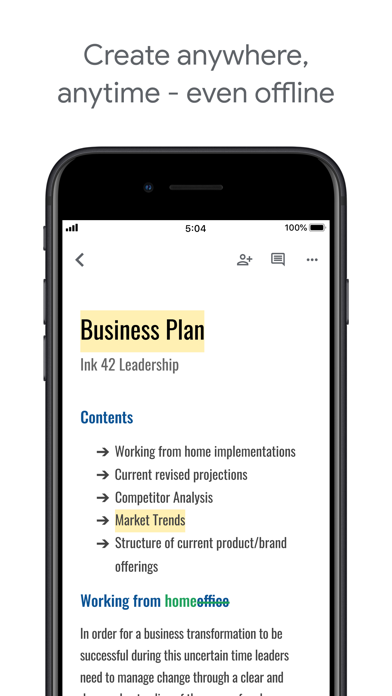
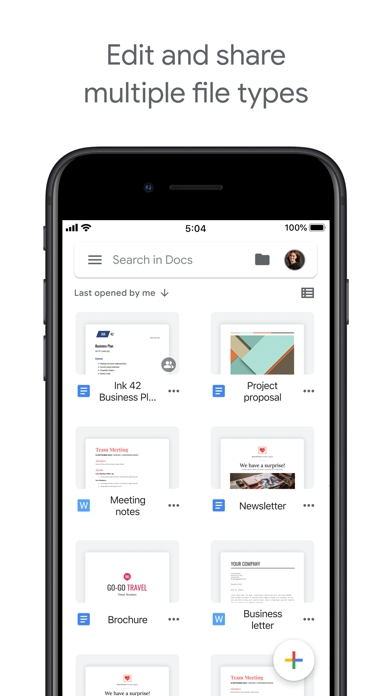
Create, edit, and collaborate on online documents with the Google Docs app.
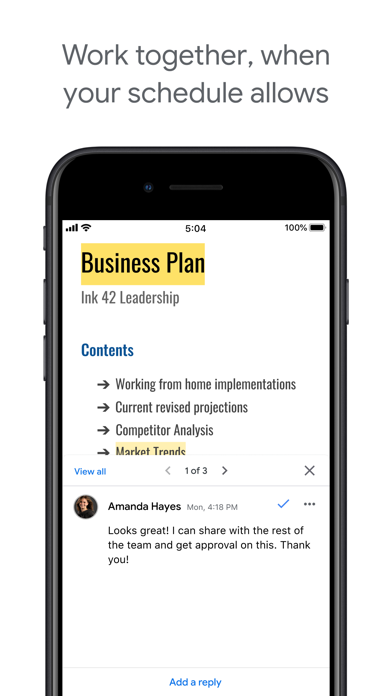
Work together in real time
• Share documents with your team
• Edit, comment, and add action items in real time
• Never lose changes or previous versions of your document with version history
Create anywhere, anytime—even offline
• Capture spontaneous ideas on the fly
• Get things done, even on the go, with offline mode
• Save time and add polish with easy-to-use templates
Search Google right in Docs
• Use Google Search without leaving your document
• Search the web and your files in Drive, right from Docs
Edit and share multiple file types
• Open a variety of files, including Microsoft Word files, right in Google Docs
• Frictionless collaboration, no matter which application your teammates use
• Convert and export files seamlessly
Google Docs is part of Google Workspace: where teams of any size can chat, create, and collaborate.
Google Workspace subscribers have access to additional Google Docs features, including:
• Working in a single document with teammates or people outside your company. See edits as others type, communicate through built-in chat, and leave feedback through comments and suggestions
• Importing your documents to make them instantly editable, including Microsoft® Word and PDF files. Export your work in .docx, .pdf, .odt, .rtf, .txt or .html format
• Unlimited version history. Track changes made to your documents and undo anything you choose.
• Working across devices, with or without Internet.

Microsoft Teams
- Platform: iOS
- Minimum iOS version: 15.0
- Creator: Microsoft Corporation
- Price: Free
- User Rating: 4.8 (3.2M Reviews)
Screenshots
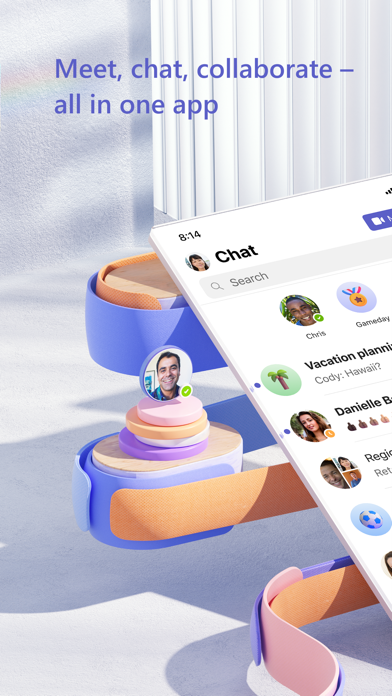
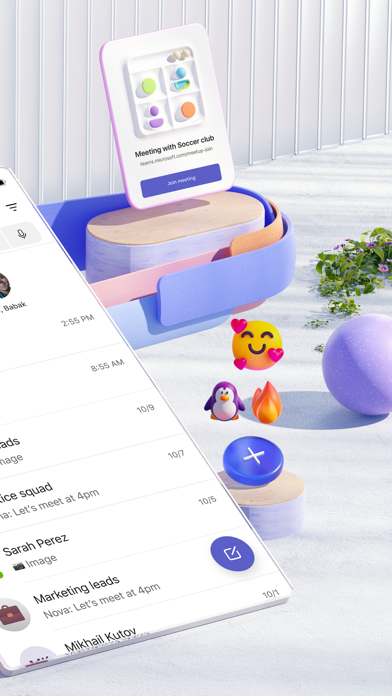

Whether you’re connecting with your community for an upcoming activity or working with teammates on a project, Microsoft Teams helps bring people together so that they can get things done. It’s the only app that has communities, events, chats, channels, meetings, storage, tasks, and calendars in one place—so you can easily connect and manage access to information. Get your community, family, friends, or workmates together to accomplish tasks, share ideas, and make plans. Join audio and video calls in a secure setting, collaborate in documents, and store files and photos with built-in cloud storage. You can do it all in Microsoft Teams.
Easily connect with anyone:
• Meet securely with communities, teammates, family, or friends.
• Set up a meeting within seconds and invite anyone by sharing a link or calendar invite.
• Chat 1-1 or to your entire community, @mention people in chats to get their attention.
• Create a dedicated community to discuss specific topics and make plans*.
• Work closely and collaborate by keeping conversations organized by specific topics and projects with teams and channels.
• Video or audio call anyone directly in Teams or instantly convert a group chat to a call.
• Use GIFs, emojis, and message animations to express yourself when words aren’t enough.
Accomplish plans and projects together:
• Send photos and videos in chats to quickly and easily share important moments.
• Use cloud storage to access shared documents and files on the go.
• Organize shared content in a community — events, photos, links, files —so you don’t have to waste time searching*.
• Get the most out of your meetings by using screen share, whiteboard, or breakout in virtual rooms.
• Manage access to information and ensure the right people have access to the right info, even when people join and leave projects.
• Use task lists to stay on top of projects and plans - assign tasks, set due dates, and cross off items to keep everyone on the same page.
Designed to give you peace of mind:
• Securely collaborate with others while maintaining control over your data.
• Keep communities safe by allowing owners to remove inappropriate content or members*.
• Enterprise-level security and compliance you expect from Microsoft 365**.
*Available when using Microsoft Teams with your Microsoft account.
**Commercial features of this app require a paid Microsoft 365 commercial subscription or a trial subscription of Microsoft Teams for work. If you’re not sure about your company’s subscription or the services you have access to, visit Office.com/Teams to learn more or contact your IT department.
By downloading Teams, you agree to the license (see aka.ms/eulateamsmobile) and privacy terms (see aka.ms/privacy). For support or feedback, email us at mtiosapp@microsoft.com. EU Contract Summary: aka.ms/EUContractSummary
Google Chrome
- Platform: iOS
- Minimum iOS version: 15.0
- Creator: Google
- Price: Free
- User Rating: 4.6 (1.1M Reviews)
Screenshots


Download the new Google Chrome for your iPhone and iPad. Now more simple, secure and faster than ever. Get the best of Google Search, and easily sync your bookmarks and passwords with Chrome on your laptop. Download the fast, secure browser recommended by Google.
NEW - You can now set Chrome as your default browser. Follow the in-app prompt or go to Settings > Google Chrome to set Chrome as default. All web links will automatically open in Chrome.
• SEARCH WITH GOOGLE - Chrome is the browser with Google built in. Search and get answers on Google fast.
• BROWSE FAST - Choose from personalized search results that instantly appear as you type and quickly browse previously-visited websites.
• SEARCH FROM YOUR HOME SCREEN - Access Chrome from your iOS home screen with the new widget.
• ACCESS YOUR CHROME ACROSS DEVICES - When you sign in to Chrome, you can save bookmarks, passwords and more in your Google Account, so you can access them on your other devices.
• STORE PASSWORDS & PAYMENT METHODS - Chrome can save your passwords and payment information, and automatically fill them into forms when you need them.
• VOICE SEARCH - Use Google voice search to get answers without typing.
• MANAGE TABS EASILY - See all your tabs in a single view and easily organize them into groups.
• ARTICLES FOR YOU - Chrome surfaces articles, blogs, and content that we think you might like. The more you use Chrome, the more personalized it gets. You’ll always have what’s most relevant to you at your fingertips.
• GOOGLE TRANSLATE - Chrome lets you translate an entire site in a single click with Google Translate built in.
• INCOGNITO MODE - Use Incognito mode to browse without saving your history (learn more at http://goo.gl/WUx02)
• SAVE YOUR SITES - Save pages for later with bookmarks in Chrome.
Calendar
- Platform: iOS
- Minimum iOS version: 10.0
- Creator: Apple
- Price: Free
- User Rating: 4.9 (1.5M Reviews)
Screenshots
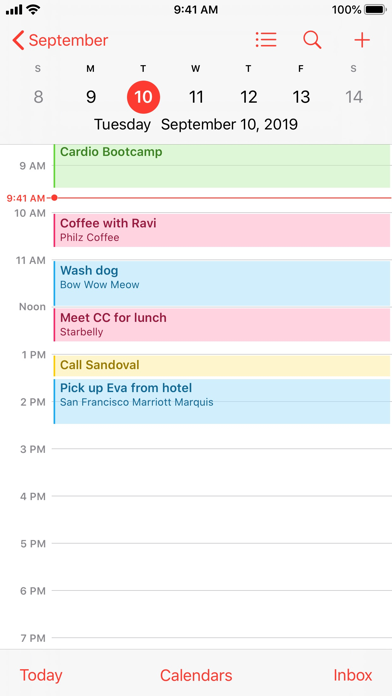
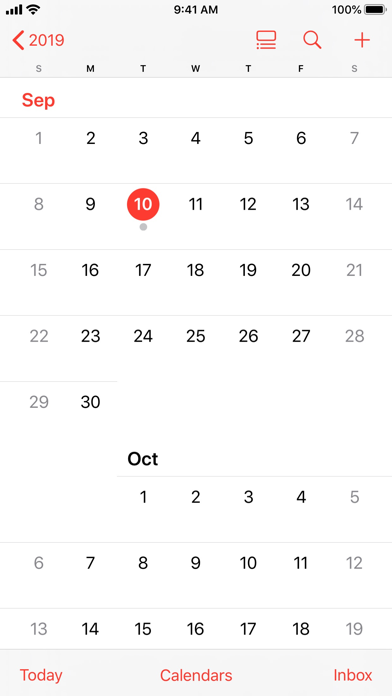
Keep track of your schedule and share it with others using Calendar. Create separate calendars for home, school, work, and more. See all your calendars in a single window or view just the calendars you want. Calendar works with iCloud, Yahoo, Google, and other accounts. So every change you make on one device automatically appears across all your devices.
Features
• View all your calendar accounts in a single app and see all your events in List, Day, Week, or Month view (as well as Year view on iPad).
• Touch and hold a blank space in your day to quickly create a new event. Or drag an appointment to change your schedule.
• Add the address of your event to receive Time to Leave notifications based on how long it will take to reach your destination.
• Send and receive meeting invitations with iCloud, Exchange, and CalDAV servers.
• Add a special calendar for the birthdays of people in your Contacts list.
• Subscribe to calendars for holidays, your favorite sports teams, and more.

Canva: Design, Art & AI Editor
- Platform: iOS
- Minimum iOS version: 13.0
- Creator: Canva
- Price: Free
- User Rating: 4.9 (2M Reviews)
Screenshots


Canva is your easy to use photo editor and video editor in one graphic design app! Create stunning social media posts, videos, cards, flyers, photo collages & more.
No design experience or expertise? No problem! From photo editor to collage maker, to logo maker – we made Canva really simple & easy for everyone.
STUNNING TEMPLATES
• Start inspired with thousands of customizable templates
• Playful Facebook posts, Insta layouts, Instagram post maker, IG Story, & mood boards
• Professionally-designed invitations, flyers, gift certificates, etc. to boost your business or event
• Showcase your product with our logo maker
• Visualize data with sleek presentation templates and slideshow maker
PHOTO EDITOR – No ads, no watermarks
• Effortless picture apps to crop, flip, & edit photos
• Adjust brightness, contrast, saturation, tint, blur, etc.
• Auto Focus for background blur & sharpen photo subject
• Apply your style with aesthetic filters & effects (Retro, Pixelate, Liquify, etc.)
• Fun photo grid & photo collage maker
VIDEO EDITOR – make amazing videos in just a few taps
• Produce professional videos right on your phone
• Trim, cut, & split video layout and audio tracks
• Crop, resize, and flip videos & images to any dimensions
• Make static images move with one-tap animations & page transitions
• Overlay multiple audio tracks of music, sound effects, & voiceovers
• Use the video editor as a video collage maker & slideshow maker too!
SOCIAL MEDIA – hit it big with on-trend content
• Discover thousands of templates for Instagram, TikTok, Facebook, Twitter, YouTube, Snapchat, LinkedIn etc.
• Queue your planned posts on Instagram with Scheduler [Canva Pro]
• Play with our photo editor for thumb-stopping Instagram layouts
• Easy collage maker & video editor to create photo grids, collages
EXTENSIVE STOCK LIBRARY – over 2M+ assets for you
• Complete package: all the elements you need are here
• 2M+ royalty-free images
• Thousands of watermark-free stock videos
• 25K+ pre-licensed audio & music tracks
SMART MOCKUPS – see your designs on a shirt or poster and more
• Look professional by visualizing your designs on products
• High-res mockups for phones, laptops, posters & other displays
• Order printed flyers, mugs, and apparel for gifts or business
REAL-TIME COLLABORATION – with anyone across any device
• Edit team projects & presentations anytime, anywhere
• Start a design on mobile & finish on your desktop seamlessly
• Work with your team in real-time, leave comments & apply changes
CANVA PRO
• Bring your vision to life with premium templates, images, videos & graphics
• Save time with tools like Background Remover, Magic Resize, and Content Planner
• Design and grow an authentic brand with Brand Kit
• Working with a team? Create faster, together, with Canva for Teams
DESIGN FOR EVERYONE
• Personal - Layout designs for creative & professional pursuits like Instagram templates, resume, photo collages, etc.
• Entrepreneurs - Grow your business with our logo creator, video editor, poster maker, etc.
• Students & Teachers - Engage with beautiful presentations and worksheets
• Social Media Managers & Content Creators - Use the photo editor and collage maker for consistent
visuals.
*Your monthly subscription automatically renews unless auto-renew is turned off at least 24 hours before the end of the current period. The Payment will be charged to your iTunes Account at confirmation of purchase. You can manage app subscriptions in your iTunes Account settings. Any unused portion of a trial period, if offered, will be forfeited when you purchase a paid subscription. No lock-in contract.
https://about.canva.com/terms-of-use
https://about.canva.com/privacy-policy
Note: Image pack in-app purchases on the App Store are only available to use on the Canva app for iPhone.
Got questions or comments? Get in touch http://canva.me/ios

Yahoo Mail - Organized Email
- Platform: iOS
- Minimum iOS version: 15.0
- Creator: Yahoo
- Price: Free
- User Rating: 4.7 (3.7M Reviews)
Screenshots
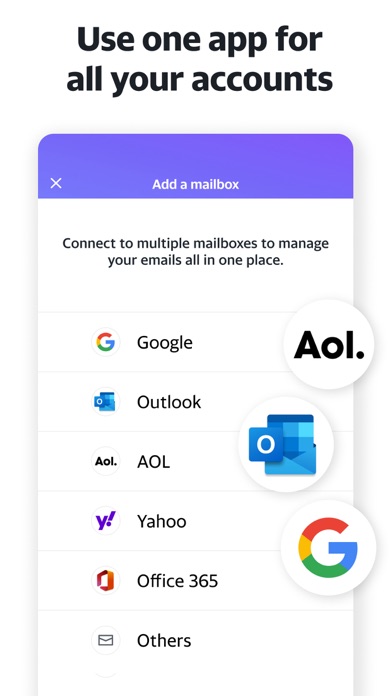
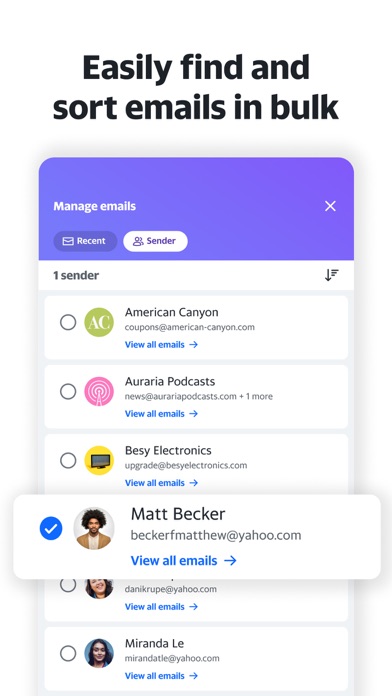
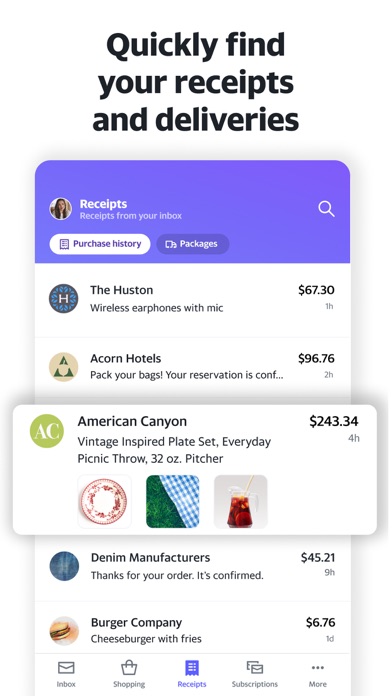
It's time to get stuff done with the Yahoo Mail app. Just add your Gmail, Outlook, AOL or Yahoo Mail to get going. We automatically organize all the things life throws at you, like receipts and attachments, so you can find what you need fast. Plus, we've got your back with other convenient features like one-tap unsubscribe, free trial expiration alerts and package tracking.
Favorite features:
• One-tap unsubscribe from pushy promos
Skip the tiny unsubscribe links at the end of long emails. We organize all your mailing lists in one spot, so it’s easy to unsubscribe from noisy newsletters and promos with a quick tap.
• Organize and navigate your inbox with ease
Find what you need fast with inbox filters that sort your emails by attachments, starred, unread, and more. Stay organized and clear out the junk by deleting or moving up to 10,000 emails at once from a particular sender or category.
• Quickly spot receipts & package delivery updates
See all your receipts organized in one place so you can easily find the one you're looking for. Plus, see the status of all your upcoming deliveries at a glance. Top-of-inbox package tracking alerts means you'll never miss a delivery.
• Pull up the best deals from your inbox
No more searching through countless promotional emails to find those savings. This view organizes your inbox around your favorite stores and the categories you shop. Now, find all your favorite deals—without the clutter.
• Keep tabs on your free trials
Get reminders before free trials expire—so you can update your subscription plan or cancel before the subscription trial ends.
• Customize your notifications
Choose which notifications you really need and say bye-bye to the ones you don't. You can turn on alerts for emails from people, bills & receipts, deals, travel, reminders or general messages.
• Connect your other accounts
Bring your Gmail, AOL, or Microsoft accounts and take advantage of extra features. Set your own swipe actions, change up the sounds or swap in your favorite color. (We like purple)
• Accessibility
Making sure our products are accessible is a priority. Yahoo Mail has high contrast themes, dynamic text resizing and VoiceOver screen reader compatibility. Plus, folders at the bottom of the inbox allow assistive technology users to navigate with less effort.
• 1,000GB free storage
That's 985 more than some other inboxes, just sayin. ;) Download the app and enjoy a more spacious inbox.
• Yahoo Mail Plus
Get ad-free mail, extra organization and privacy features, plus 24/7 tech support across your iOS mobile devices.
+ Available as an in-app purchase at $1.99/month charged to your iTunes account
+ Subscription will auto-renew each month within 24 hours of your renewal date
+ Manage or cancel your subscription via Account Settings
Terms of service: https://legal.yahoo.com/us/en/yahoo/terms/otos/index.html
Privacy policy: https://legal.yahoo.com/us/en/yahoo/privacy/index.html
How are we doing? For questions or feedback please contact mail.ios.feedback@yahooinc.com


Comments
Post your comments