

Stay Connected: The Best Social Media Apps for iPhone Users
In today's digital age, social media has become an integral part of our daily lives, connecting us with friends, family, and the world at large with just a tap on our smartphones. With the ever-growing number of social media platforms available, choosing the right ones can be overwhelming, especially for iPhone users who demand seamless integration and user-friendly interfaces.
Whether you're a social butterfly looking to stay updated with the latest trends or a business owner aiming to expand your online presence, selecting the best social media apps for your iPhone is crucial. From sharing moments to networking professionally, these apps cater to various needs and preferences, offering a diverse range of features and functionalities.
In this comprehensive guide, we'll explore the cream of the crop in social media apps tailored specifically for iPhone users. Whether you're an avid Instagrammer, a Twitter aficionado, or a Snapchat enthusiast, we've got you covered. Join us as we delve into the top picks that will keep you connected, informed, and entertained in the fast-paced world of social media.

- Platform: iOS
- Minimum iOS version: 15.0
- Creator: Instagram, Inc.
- Price: Free
- User Rating: 4.7 (26.1M Reviews)
Screenshots


App Store Description
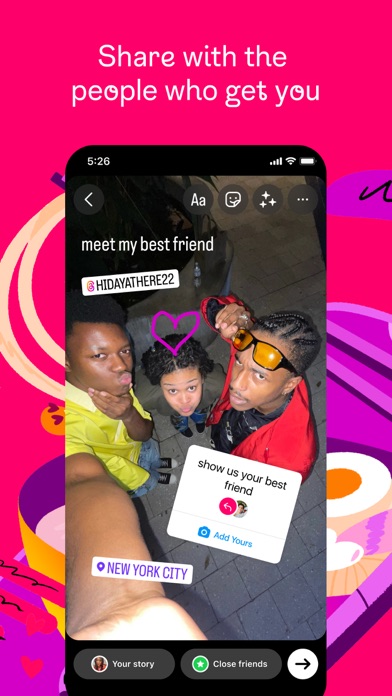
Little moments lead to big friendships. Share yours on Instagram.
— From Meta
Connect with friends, find other fans, and see what people around you are up to and into. Explore your interests and post what's going on, from your daily moments to life's highlights.
Share what you’re up to and into.
- Keep up with friends on the fly with Stories and Notes that disappear after 24 hours.
- Start group chats and share unfiltered moments with your Close Friends.
- Share memories from recent events or trips in Feed.
- Turn your life into a movie and discover short, entertaining videos on Instagram with Reels.
- Customize your posts with exclusive templates, music, stickers and filters.
Dive into your interests.
- Watch videos from your favorite Creators and discover new content that’s personalized to your interests.
- Get inspired by photos and videos from new accounts in Explore.
- Discover brands and small businesses, and shop products that are relevant to your personal style.
Some Instagram features may not be available in your country or region.
Terms and Policies - https://help.instagram.com/581066165581870

X
- Platform: iOS
- Minimum iOS version: 15.0
- Creator: X Corp.
- Price: Free
- User Rating: 4.6 (8.4M Reviews)
Screenshots
App Store Description
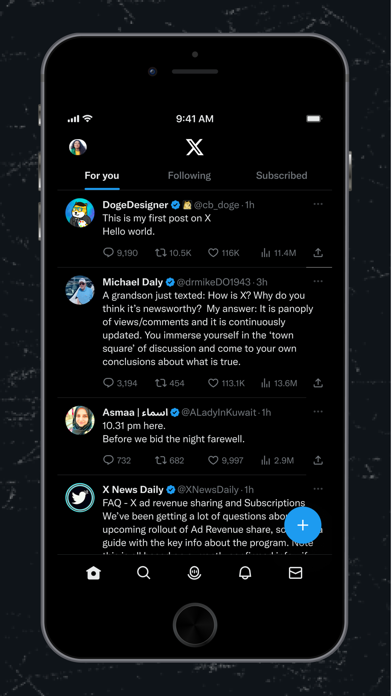
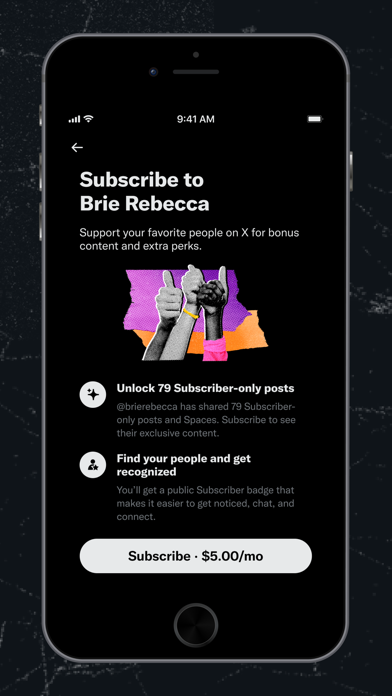
The X app is the trusted global digital town square for everyone.
With X, you can:
- Post content for the world to see and join public conversations
- Stay up to date on breaking news and follow your interests
- Stay better informed with extra context from Community Notes
- Go live with Spaces for audio or stream live video
- Communicate privately with Direct Messages
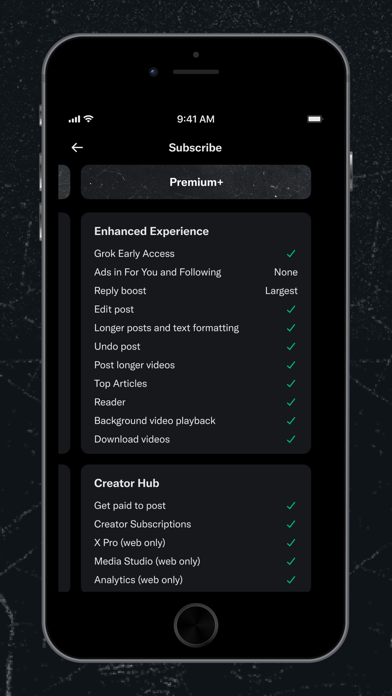
- Subscribe to X Premium to expand your reach, get a blue checkmark, and more
- Earn a living creating exclusive content for your paid subscribers and share in the ad revenue generated in replies to your posts
- Create and join Communities around topics and interests, from sports to music to technology
- Upload and watch videos up to 3 hours in length
- Write and read long form posts like essays and blogs
- Connect directly with your customers to help your business grow
Privacy Policy: https://x.com/en/privacy
Terms and Conditions: https://x.com/en/tos

FaceTime
- Platform: iOS
- Minimum iOS version: 10.0
- Creator: Apple
- Price: Free
- User Rating: 4.2 (17.9K Reviews)
Screenshots


App Store Description
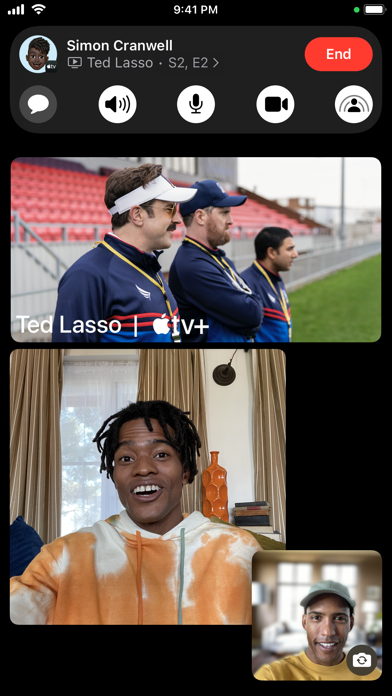
Connect with family and friends around the world with FaceTime audio and video calls.
FaceTime Messages
When someone doesn’t pick up your FaceTime call, leave them a video or audio message to capture exactly what you want to say.
SharePlay
Watch videos and listen to music together with SharePlay. Synced playback and shared controls keep everyone on the same beat, and smart volume makes it easy to keep the conversation going over FaceTime while enjoying a video or song you love.
Screen sharing
Share your iPhone, iPad or Mac screen to bring your favorite apps into FaceTime.
Collaboration
Work on documents, presentations and more with the people on your call.
FaceTime links
Invite your friends into a FaceTime call using a web link you can share anywhere. Even friends who don’t have an Apple device can join the call from their browser instantly — no login necessary.
Mic modes
Use Voice Isolation to block out ambient noise and spotlight your voice. Use Wide Spectrum to bring every single sound in your space into the call.
Portrait mode & Studio Light
Portrait mode blurs your background, while Studio Light dims the background and brightens your face. Available on iPhone and iPad from 2018 or later, and Mac with Apple Silicon.
Reactions & gestures
Layer screen effects directly into your camera feed, like balloons, confetti, stormy rain, fireworks, or laser beams. Double tap anywhere on the screen to bring up the reaction buttons, or trigger reactions using hand gestures.
Contact Posters
Create a customized poster to represent yourself when you give people a FaceTime Audio call. Choose from various treatments for photos, Memoji and your name.
Spatial audio
With spatial audio, your friends’ voices are spread out to sound like they’re coming from the direction in which they’re positioned on the call. Available on iPhone, iPad and Mac from 2018 or later.
Grid view
Grid view lets you see people in your Group FaceTime calls in the same-size tiles, and highlights the current speaker so it’s easy to know who’s talking.
Center Stage
Center Stage uses machine learning to adjust the front-facing Ultra Wide camera during FaceTime video calls to help keep you and anyone else with you in the frame. Available on iPad Pro 12.9-inch (5th generation) or iPad Pro 11-inch (3rd generation).
Video effects
Use effects to become an Animoji, place stickers, and much more right in your FaceTime call.
Handoff in FaceTime
Move FaceTime calls seamlessly from your iPhone to your Mac or iPad, and vice versa. When you hand off a call, your connected Bluetooth headset transitions to the new device simultaneously.
Handoff to FaceTime on Apple TV 4K
Connect with family and friends around the world from the comfort of your couch. Launch the FaceTime app on Apple TV to initiate a call or start on iPhone and handoff to Apple TV.
Get everyone together
Enjoy Group FaceTime calls with up to 32 people at once.
Front and back cameras
Use the front-facing FaceTime camera to show your face, or switch to the back camera to show your friends what you see or zoom in on something special.
Live Captions in FaceTime (beta)
See automatically transcribed dialogue integrated into your FaceTime video calls. With speaker attribution, it's easy to follow along with group conversations. Available in English (US, Canada).
Flexible calling
Reach contacts using their phone number or Apple ID. FaceTime works over Wi-Fi and cellular.

- Platform: iOS
- Minimum iOS version: 14.0
- Creator: reddit
- Price: Free
- User Rating: 4.8 (2.9M Reviews)
Screenshots

App Store Description
Welcome to Reddit, the heart of the internet.
Reddit is a social network with something for everyone: trending topics, diverse discussions, and engaging communities and comment threads.
Redditors have authentic and interesting conversations around all sorts of curated content. You’ll find gaming communities, bloggers, meme-makers, fandoms, travel enthusiasts, support groups, AI forums, news junkies, artists, and creators of all types.
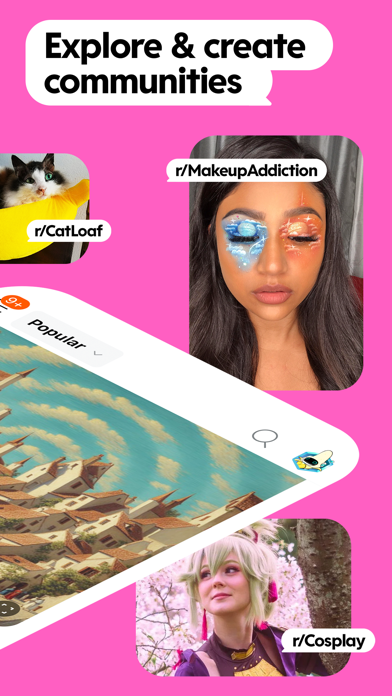
Reddit has over 100,000 online communities (forums where members post and comment) dedicated to specific topics. Some of the most popular communities are:
• r/AskReddit, where users can ask and answer questions
• r/funny, which is full of humorous content
• r/science, for scientific discussions and news
• r/gifs, with funny animated gifs for your viewing pleasure
On Reddit you’ll find:
• Thousands of community groups
Breaking news, social media trends, sports highlights, TV fan theories, open AI discussions and personalized content, there's a community for everyone.
• Loads of laughs
Find memes, oddly satisfying videos, funny cat videos, and more to help you lose track of time.
• AMAs, or "Ask Me Anything"
Celebrities, politicians, and experts answer questions from users.
• The best discussions on any topic
Reddit’s discussion threads are where community members jump in with humor and insights for just about anything; pop culture, sports, entertainment, or financial advice.
• Get answers to anonymous questions
Ask communities anything you want. Ask questions on relationships, mental health, parenting, career help, fitness plans, and more.
• Anonymous profiles so you can do YOU
Connect with people about any topic, join interactive community groups or threads, and chat with other redditors, all anonymously.
Voting and Karma:
Instead of likes and hearts, Reddit’s social network runs on upvotes or downvotes. Voting on posts and comments increase or decrease the creator’s karma, and helps popular and relevant posts rise to the top, while filtering out low-quality or irrelevant posts.
While karma doesn't directly impact your ability to use Reddit, more karma can increase posts’ visibility and help you get noticed. Some communities require karma to post or comment, which helps prevent spam or low-quality content.
Reddit Premium:
Purchase Reddit Premium to enjoy an ads-free experience and access to premium avatar gear, r/lounge, custom app icons, and more.
Payment will be charged on a recurring monthly or annual basis to your Apple account. Your monthly or annual Premium subscription will automatically renew unless you cancel at least 24 hours before your subscription ends. Cancel anytime in your device’s Account Settings. No partial refunds.
Privacy Policy: https://www.redditinc.com/policies/privacy-policy
User Agreement: https://www.redditinc.com/policies/user-agreement
Content Policy: https://www.redditinc.com/policies/content-policy
If you have any problems with the app, get support at RedditHelp.com

Adobe Spark Video
- Platform: iOS
- Minimum iOS version: 15.0
- Creator: Adobe Inc.
- Price: Free
- User Rating: 4.7 (22.4K Reviews)
Screenshots


App Store Description
*** App Store Editors’ Choice. #1 Best New App.***
Adobe Spark Video helps anyone create compelling video stories in minutes. Easily add and trim video clips to make your videos stand out on social. Pick from over 1 million beautiful iconic images or add your own photos to highlight what you have to say. Select the soundtrack that works best. Then Spark Video automatically adds striking cinematic motion to your story — no design experience needed. Share your video to make an impact: persuade, inform and inspire your audience. And did we tell you it's all free to get started?
WHY YOU'LL LOVE SPARK VIDEO:
CREATE IN MINUTES.
◆ Fun, fast and super simple.
◆ Easily combine video clips, photos and icons into an engaging video.
◆ Add impact with text overlay - no design expertise required!
MAKE IT SOUND AMAZING.
◆ Pick from a wide variety of included soundtracks or bring in your own personal music.
◆ Use your own voice to make your point - we'll make you sound amazing.
◆ Adjust the volume of your video clips so key moments stand out.
RICH, VISUAL RESULTS IN MINUTES.
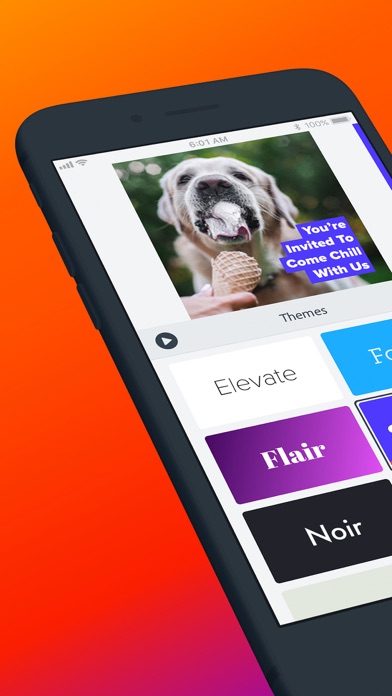
◆ Themes automatically add cinema-quality animation so your story looks incredible. Effortlessly.
◆ Share your video or embed it on your website, blog, or Spark Page.
◆ Save your video to your Camera Roll to upload to your Instagram or favorite video site.
HERE'S WHAT PEOPLE ARE MAKING:
• Marketing videos
• Facebook ads
• Instagram videos
• Social media videos
• School projects
• Business pitches
• Crowdfunding videos
• Easy storytelling
• Team updates
• Product demos
• Tutorials
• Event invitations
• Announcements
• Testimonials
GET THE FULL EXPERIENCE — FREE TRIAL FOR 14 DAYS
Spark Video is now included in the Adobe Express membership. Your Adobe Express membership unlocks more templates, access to the entire royalty-free Adobe Stock photo collection*, backgrounds, effects, fonts plus premium features like Apply Brand, Customize Cutout, and Resize. Your paid membership includes the premium versions of the following applications:
• Adobe Express on web and mobile
• Adobe Premiere Rush on mobile and desktop
• Adobe Photoshop Express on mobile
• Adobe Spark Video on mobile
• Adobe Spark Page on mobile
*The Adobe Stock photo collection does not include Premium or editorial content and can only be access from within the Adobe Express app. Limited Adobe Stock functionality available in web page and video features within the desktop app.
GET IN TOUCH
Instagram/Facebook/Twitter: @AdobeExpress
Adobe Support https://helpx.adobe.com/support/express.html
Optional In App purchase
Payments will be charged to your iTunes account. Subscriptions automatically renew unless auto-renew is turned off at least 24 hours before the end of the current period. Manage auto-renew in your Apple ID Account Setting any time after purchase. Any unused portion of a free trial period, if offered, will be forfeited when the user purchases a subscription to Adobe Express, where applicable.
Terms and conditions
Your use of this Adobe application is governed by the Adobe General Terms of Use (http://www.adobe.com/go/terms_linkfree), and Adobe Privacy Policy (http://www.adobe.com/go/privacy_policy_linkfree) and any successor versions thereto.
Do not sell my info: https://www.adobe.com/privacy/ca-rights-linkfree.html
All trademarks are the property of their respective owners.

Ripl: Social Media Marketing
- Platform: iOS
- Minimum iOS version: 11.0
- Creator: Ripl, Inc.
- Price: Free
- User Rating: 4.8 (50.1K Reviews)
Screenshots

App Store Description
Ripl lets you easily create, post, schedule, and track professional-looking social content in just minutes.
Build your audience on social media, engage your customers, and drive more traffic to your business with beautiful, branded videos and posts on Ripl.
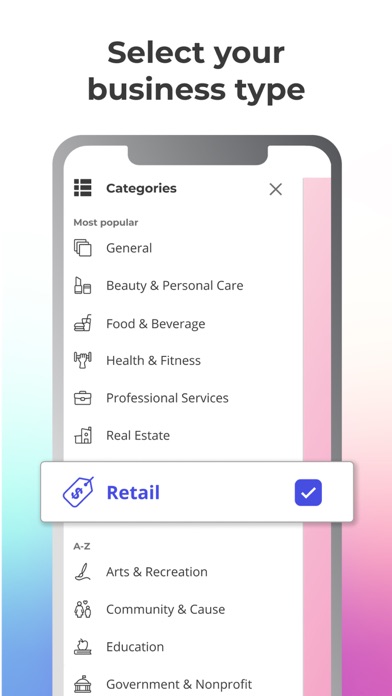
READY-MADE TEMPLATES
Pick from 1000s of customizable templates made for your business and goal. Easily create video, animation, or static posts in minutes.
Ripl's templates are made to help your business stand out in Instagram stories, Facebook ads, or social flyers.
PROMOTE YOUR BRAND
Set your logo, colors, and font preferences so you'll be sure that every post fits your business' unique style.
With Ripl, you can show off your brand and maintain consistency across all your social media channels—Facebook, Instagram, Twitter, YouTube, and LinkedIn.
The easiest solution for creating and managing social ads. Just create a video ad, select your audience, set your budget, and then watch the results come in.
Ripl makes it so that any small business can have success with Facebook and Instagram ads. Increase brand awareness, gain more followers, and get in front of more customers without breaking a sweat.
STOCK MEDIA LIBRARY OR ADD YOUR OWN
Over 500,000+ professional images and videos at your fingertips, and the ability to add your own, make it easy to stand out on social media.
Whether you are promoting your restaurant, real estate business, or online shop, with our stock media library you can find the images and videos you need to make each post look professional.
SCHEDULE MULTIPLE POSTS IN ADVANCE
Save time by making one post or many, then schedule and share to all your social accounts at once—Facebook, Instagram, Twitter, YouTube, and LinkedIn.
TRACK YOUR PERFORMANCE IN ONE PLACE
See your recent posts from multiple social channels, see post-by-post engagement, and track performance trends over time.
ANYTIME, ANYWHERE
Access your account from your home, your business, or on the go.
Ripl’s mobile and desktop browser apps make it easy to create new posts, edit drafts, and schedule to your social channels wherever you are.
WHAT PEOPLE ARE SAYING
"Ripl’s scheduling feature is amazing! A must have app for all businesses!” – Gayle Lemler of Lemler Valley Farm
“Ripl provides professional, branded content with easy peasy templates.” – Bella of Spades Fest
"Creating a post on Ripl is fast and simple. You can create anywhere, and easily maintain your brand.” – Pamela M Jensen of Reality World Real Estate
Follow us:
Twitter: @Ripl_App
Instagram: @Ripl
Facebook: @Ripl
For support, contact us via social media or email us at feedback@ripl.com.
Subscription Details:
Payment for Ripl will be charged to your iTunes Account at confirmation of purchase. Your Ripl subscription will automatically renew unless auto-renew is turned off within your iTunes Account at least 24-hours before the end of the current subscription billing period.
You can manage your subscription or turn off auto-renew in your iTunes Account settings after purchase. If you turn off auto-renew in the middle of a subscription period, you will still have access to all premium features until the end of the period. No partial refunds will be given for turning off auto-renew in the middle of a subscription period.
—
Protecting your privacy and personal information is of the utmost importance to us at Ripl. By downloading and installing the Ripl software, you provide your consent to allow Ripl, Inc. to securely collect, store and use certain personal information necessary for the delivery of the Ripl Service as disclosed in our Privacy Policy (ripl.com/privacy-policy). Your use of Ripl software and Service is also subject to our Terms of Use (ripl.com/terms-of-use).
Ripl, Inc. is proud to be fully GDPR, CCPA, and DMCA compliant.

WhatsApp Messenger
- Platform: iOS
- Minimum iOS version: 12.0
- Creator: WhatsApp Inc.
- Price: Free
- User Rating: 4.7 (13.4M Reviews)
Screenshots


App Store Description
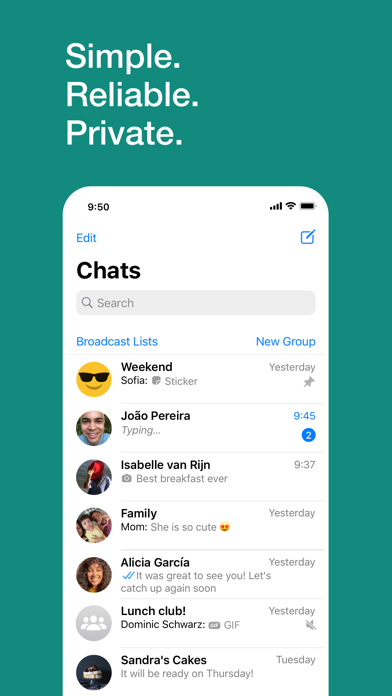
WhatsApp from Meta is a FREE messaging and video calling app. It’s used by over 2B people in more than 180 countries. It’s simple, reliable, and private, so you can easily keep in touch with your friends and family. WhatsApp works across mobile and desktop even on slow connections, with no subscription fees*.
Private messaging across the world
Your personal messages and calls to friends and family are end-to-end encrypted. No one outside of your chats, not even WhatsApp, can read or listen to them.
Simple and secure connections, right away
All you need is your phone number, no user names or logins. You can quickly view your contacts who are on WhatsApp and start messaging.
High quality voice and video calls
Make secure video and voice calls with up to 8 people for free*. Your calls work across mobile devices using your phone’s Internet service, even on slow connections.
Group chats to keep you in contact
Stay in touch with your friends and family. End-to-end encrypted group chats let you share messages, photos, videos and documents across mobile and desktop.
Stay connected in real time
Share your location with only those in your individual or group chat, and stop sharing at any time. Or record a voice message to connect quickly.
Share daily moments through Status
Status allows you to share text, photos, video and GIF updates that disappear after 24 hours. You can choose to share status posts with all your contacts or just selected ones.
*Data charges may apply. Contact your provider for details.
---------------------------------------------------------
If you have any feedback or questions, please go to WhatsApp > Settings > Help > Contact Us

- Platform: iOS
- Minimum iOS version: 13.4
- Creator: Meta Platforms, Inc.
- Price: Free
- User Rating: 4.3 (8.8M Reviews)
Screenshots

App Store Description
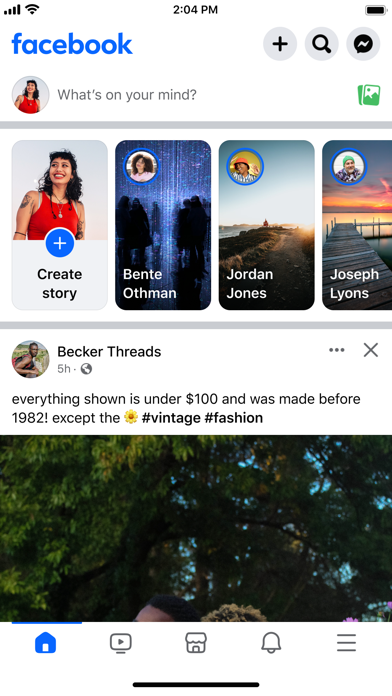
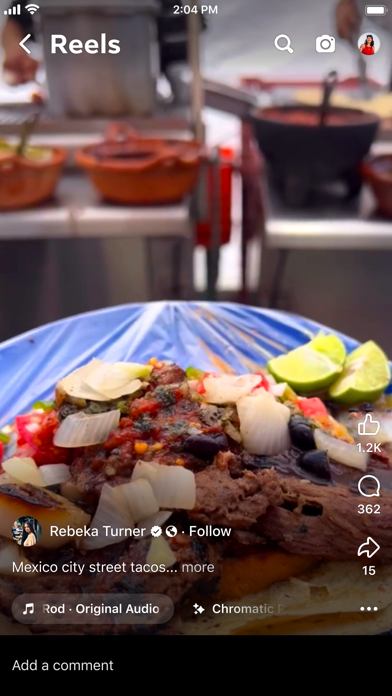
Explore, connect and share your interests with real people. Whether you’re looking for a spark of inspiration with reels or want to dive deeper into something you already love with Marketplace or in groups, you can discover ideas, experiences and people that fuel your interests and help you make progress on the things that matter to you on Facebook.
Explore and expand your interests:
* Shop for affordable and uncommon stuff on Marketplace and take your hobbies to the next level
* Personalize your Feed to see more of what you like, less of what you don’t
* Watch reels for quick entertainment that sparks inspiration
* Discover creators, small businesses and communities who can help you dive deeper into the things you care about
Connect with people and communities:
* Join groups to learn tips and tricks from real people who’ve been there, done that
* Catch up with friends, family and influencers through Feed and stories
Share your world:
* Effortlessly create reels from trending templates, or let your creativity shine with a full suite of editing tools
* Customize your profile to choose how you show up and who you share your posts with
* Turn your hobby into a side hustle by becoming a creator or selling things on Marketplace
* Celebrate everyday, candid moments with stories, which disappear in 24 hours

Gmail - Email by Google
- Platform: iOS
- Minimum iOS version: 15.0
- Creator: Google
- Price: Free
- User Rating: 4.7 (1.7M Reviews)
Screenshots
App Store Description
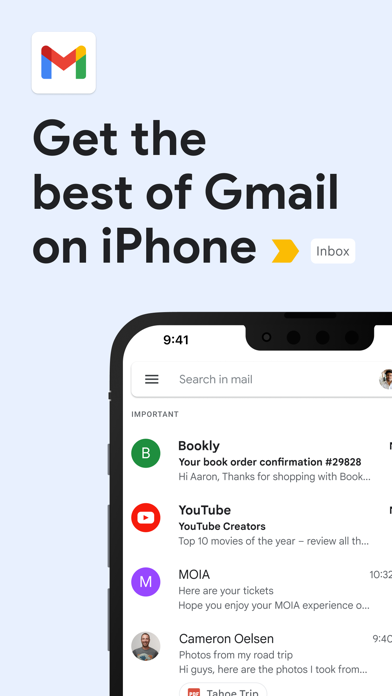
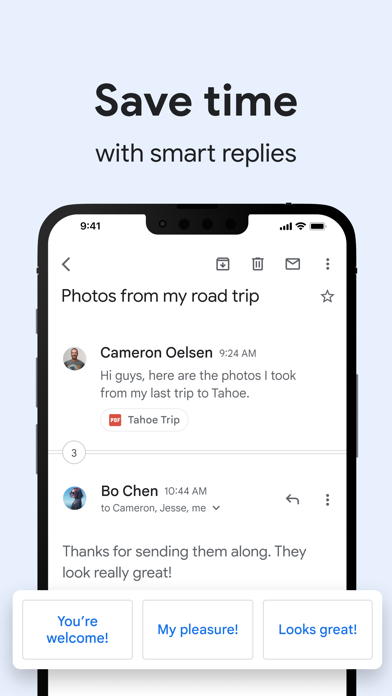
The official Gmail app brings the best of Gmail to your iPhone or iPad with robust security, real-time notifications, multiple account support, and search that works across all your mail.
With the Gmail app, you can:
• Make Gmail your default email app on iOS
• Automatically block more than 99.9 percent of spam, phishing, malware, and dangerous links from ever reaching your inbox
• Undo send, to prevent embarrassing mistakes
• Turn on Google Chat to connect, create and collaborate with others
• Get more done as a group in Spaces - a dedicated place for organizing people, topics, and projects
• Enjoy high quality video calling with Google Meet
• Respond to emails quickly with Smart Reply suggestions
• Switch between multiple accounts
• Get notified of new mail fast, with notification center, badge, and lock screen options
• Search your mail faster with instant results, predictions as you type, and spelling suggestions
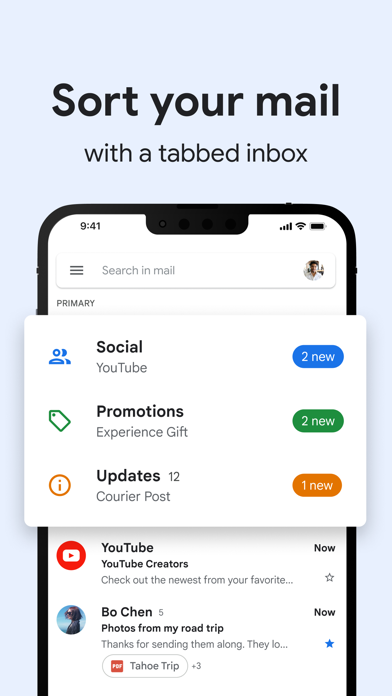
• Organize your mail by labeling, starring, deleting, and reporting spam
• Swipe to archive/delete, to quickly clear out your inbox
• Read your mail with threaded conversations
• Auto-complete contact names as you type from your Google contacts or your phone
• Respond to Google Calendar invites right from the app
Gmail is part of Google Workspace, allowing you and your team to easily connect, create, and collaborate. You can:
• Connect with coworkers via Google Meet or Google Chat, send an invite in Calendar, add an action to your task list, and more without leaving Gmail
• Use suggested actions — like Smart Reply, Smart Compose, grammar suggestions, and nudges — to help you stay on top of work and take care of simple tasks, so you can be more efficient with your time
• Stay safe. Our machine learning models block more than 99.9% of spam, phishing, and malware from reaching our users

Discord - Chat, Talk & Hangout
- Platform: iOS
- Minimum iOS version: 12.0
- Creator: Discord, Inc.
- Price: Free
- User Rating: 4.7 (2.7M Reviews)
Screenshots
App Store Description
Discord is where you can make a home for your communities and friends. Where you can stay close and have fun over text, voice, and video chat. Whether you’re part of a school club, a gaming group, a worldwide art community, or just a handful of friends who want to spend time together, Discord makes it easy to talk every day, and hang out more often.
CREATE AN INVITE-ONLY PLACE
• Discord servers are organized into topic-based channels where you can collaborate, share, have meetings, or just talk to friends about your day without clogging up a group chat.
• Send a message directly to a friend or call them up with our voice chat feature
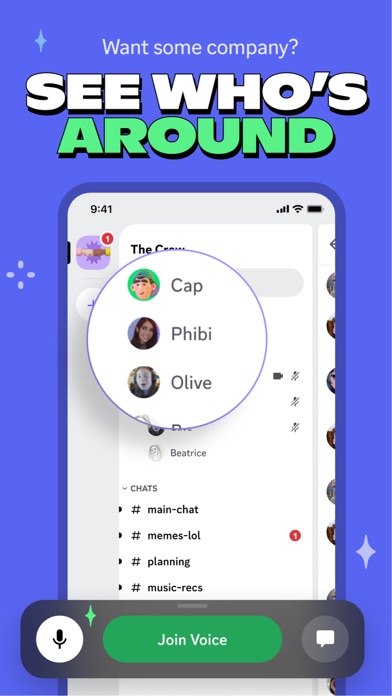
• Voice channels make hanging out easy. Got a free moment? Grab a seat in a voice channel so friends can see you’re around and pop in to talk without having to call. You can even watch videos together!
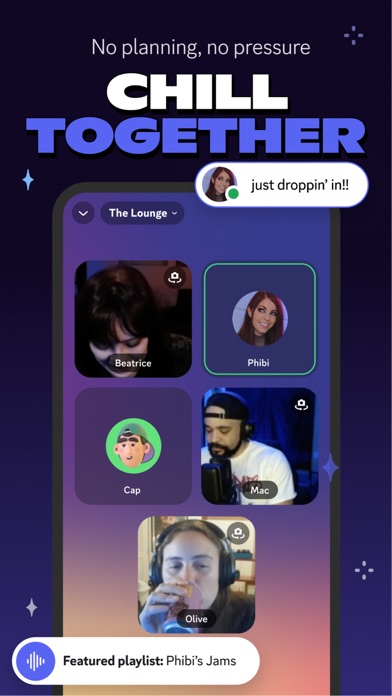
• Reliable tech for staying close with friends. Low-latency voice and video chat feels like you’re meeting in the same room.
• Easily talk with friends while gaming and steam roll the competition.
• Be a meme messenger with easy image sharing
STAY CLOSE WITH TEXT, VIDEO, AND VOICE CHAT
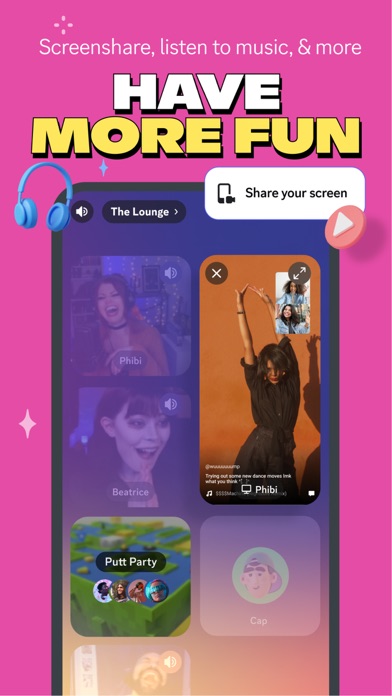
• Wave hello over video, watch friends stream their games, share stories over voice calls, or gather up and have a drawing session with screen share.
• Snap a photo and turn it into your own custom emojis and share them with friends.
• Share anything from funny videos and stories to your latest group photos, and pin your favorites to remember those moments later.
• Hang out in group channels or talk privately with direct messages
• Zoom through convos with friends using topic-specific channels!
FOR A FEW OR A FANDOM
• Custom moderation tools and permission levels can group up your friends or teams, organize meetings for your local book club, or bring together music fans from around the world.
• Create moderators, give special members access to private channels, and much more.


Comments
Post your comments