

Privacy Risks of iCloud and How to Minimize Them
Introduction
In today’s digital age, cloud storage services like iCloud have become essential for iPhone users in Kenya. iCloud offers seamless backup, synchronization, and storage for photos, contacts, messages, and more. However, with convenience comes risk—your personal data could be vulnerable to breaches, unauthorized access, or even government surveillance.
This article explores the privacy risks associated with iCloud and provides practical steps to minimize them, ensuring your data remains secure while using your iPhone in Kenya.
Understanding iCloud and Its Privacy Risks
What is iCloud?
iCloud is Apple’s cloud storage service that automatically backs up your iPhone data, including:
- Photos & Videos
- Messages (iMessage & SMS)
- Contacts & Calendars
- Notes & Reminders
- App Data (WhatsApp, Safari, etc.)
While iCloud is encrypted, not all data is end-to-end encrypted by default, meaning Apple—or hackers—could potentially access your information under certain conditions.
Major Privacy Risks of iCloud
1. Data Breaches & Hacking
- Cybercriminals target cloud storage services.
- Weak passwords or phishing scams can lead to unauthorized access.
2. Government & Third-Party Surveillance
- Authorities may request data from Apple.
- Some apps sync with iCloud and may expose your data to third parties.
3. Location Tracking via Find My iPhone
- While useful for lost devices, it can be misused if someone gains access to your iCloud account.
4. Backups Stored Without End-to-End Encryption
- Apple holds encryption keys for some data (e.g., iCloud backups), meaning they can decrypt it if required.
5. Synced Data Across Devices
- If one device is compromised, all linked devices (Mac, iPad) could be at risk.
How to Minimize iCloud Privacy Risks
1. Enable Two-Factor Authentication (2FA)
🔒 Why? Prevents unauthorized logins even if your password is stolen.
✅ How?
- Go to Settings > [Your Name] > Password & Security > Two-Factor Authentication.
2. Use Strong, Unique Passwords
🔒 Why? Weak passwords are the easiest way hackers access accounts.
✅ How?
- Use a password manager (like Apple’s Keychain or Bitwarden).
- Avoid common passwords like "123456" or "password".
3. Limit iCloud Backup Data
🔒 Why? Not all data needs to be in the cloud.
✅ How?
- Go to Settings > [Your Name] > iCloud > Manage Storage > Backups.
- Disable backups for unnecessary apps.
4. Enable Advanced Data Protection (End-to-End Encryption)
🔒 Why? Ensures only you can decrypt your data.
✅ How?
- Go to Settings > [Your Name] > iCloud > Advanced Data Protection.
- Turn it on (requires iOS 16.2 or later).
5. Disable iCloud Syncing for Sensitive Apps
🔒 Why? Some apps (like WhatsApp) store chats in iCloud without full encryption.
✅ How?
- For WhatsApp: Settings > Chats > Chat Backup > Turn off Auto Backup.
- For other apps: Settings > [Your Name] > iCloud > Toggle off unnecessary apps.
6. Regularly Review & Delete Old Backups
🔒 Why? Reduces exposure of outdated data.
✅ How?
- Go to Settings > [Your Name] > iCloud > Manage Storage > Backups.
- Delete old backups you no longer need.
7. Be Cautious with Find My iPhone
🔒 Why? Prevents stalkers or thieves from tracking you.
✅ How?
- Disable Share My Location when not needed (Settings > Privacy > Location Services > Share My Location).
8. Avoid Public Wi-Fi for iCloud Access
🔒 Why? Public networks can be insecure.
✅ How?
- Use VPNs (like NordVPN or ExpressVPN) when accessing iCloud on public Wi-Fi.
9. Monitor iCloud Login Activity
🔒 Why? Detects unauthorized access early.
✅ How?
- Visit appleid.apple.com > Security > Review Recent Activity.
10. Consider Local Backups Instead
🔒 Why? Full control over your data.
✅ How?
- Use iTunes/Finder to back up to a computer instead of iCloud.
Best iPhone Models for Privacy-Conscious Users in Kenya
If you’re buying a new iPhone with privacy in mind, consider these models with strong security features:
1. iPhone 16 Pro Max
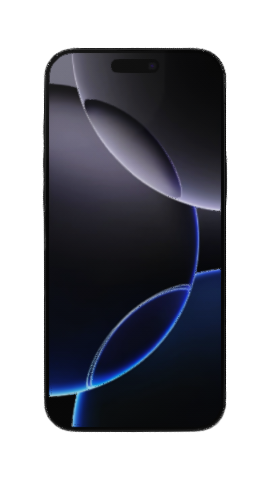
Click image to buy iPhone 16 Pro Max
- Advanced Data Protection (Full end-to-end encryption)
- Stronger Face ID security
2. iPhone 15 Pro
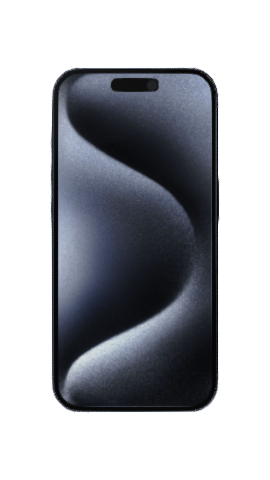
Click image to buy iPhone 15 Pro
- USB-C with hardware encryption
- Lockdown Mode (Blocks sophisticated spyware)
3. iPhone 14 Pro
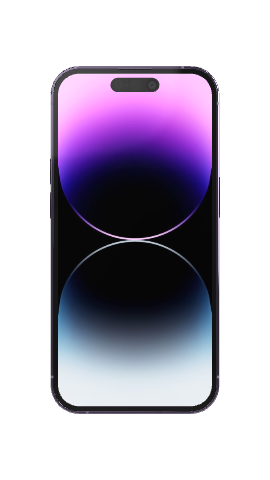
Click image to buy iPhone 14 Pro
- On-device processing for Siri & Photos (Less cloud dependency)
Final Thoughts
While iCloud is convenient, privacy risks exist—especially in Kenya, where digital security awareness is still growing. By following the steps above, you can significantly reduce exposure to hacks, surveillance, and data leaks.
💡 Pro Tip: Regularly check Apple’s privacy updates and adjust settings accordingly.
Want a Secure iPhone?
🔹 Buy a Privacy-Focused iPhone Now
🔹 Sell Your Old iPhone Safely
Have questions? Join our Telefon Forum to discuss iPhone security with other Kenyan users!
Stay safe, stay private! 🚀📱


Comments
Post your comments