

How to Detect and Remove Spyware from Your iPhone: A Complete Guide for Kenyan Users
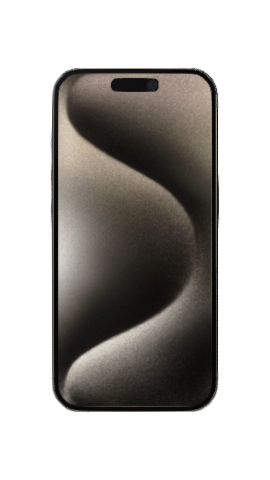
iPhone 15 Pro in Natural Titanium – Secure and spyware-free when purchased from Telefon.
Introduction
In today’s digital age, iPhones are more than just communication devices—they store sensitive personal and financial data. Unfortunately, spyware attacks are on the rise globally, and Kenya is no exception. Whether it's a jealous partner, a hacker, or even a malicious app, spyware can compromise your privacy, banking details, and even your safety.
This guide will help you detect, remove, and prevent spyware on your iPhone, ensuring your device stays secure.
What is Spyware?
Spyware is malicious software designed to secretly monitor and collect data from your device without your knowledge. It can:
- Record keystrokes (including passwords).
- Access messages, emails, and call logs.
- Track your location via GPS.
- Activate your microphone or camera remotely.
Common Signs Your iPhone Has Spyware
- Unusual Battery Drain – Spyware runs in the background, consuming extra power.
- Overheating – Even when idle, your iPhone feels unusually warm.
- Slow Performance – Apps take longer to load, or the device freezes frequently.
- Increased Data Usage – Spyware sends stolen data to remote servers.
- Strange Background Noises – If calls have echoes or static, your microphone may be compromised.
- Unknown Apps or Profiles – Check for unfamiliar apps or device management profiles.
How to Detect Spyware on Your iPhone
1. Check for Suspicious Apps
- Open Settings > General > iPhone Storage.
- Look for unfamiliar apps (especially ones you didn’t install).
- If you find any, delete them immediately.
2. Review Installed Profiles
Some spyware hides in configuration profiles.
- Go to Settings > General > VPN & Device Management.
- If you see an unknown profile, remove it.
3. Monitor Background Activity
- Open Settings > Battery.
- Check for apps using excessive battery in the background.
4. Look for Jailbreak Signs
Jailbroken iPhones are more vulnerable to spyware.
- If you see Cydia (an app store for jailbroken devices), your phone may be compromised.
How to Remove Spyware from Your iPhone
Method 1: Update iOS
Apple regularly patches security vulnerabilities.
- Go to Settings > General > Software Update.
- Install the latest iOS version.
Method 2: Factory Reset (Most Effective)
This erases all data, including spyware.
- Backup your iPhone (Settings > [Your Name] > iCloud > iCloud Backup).
- Go to Settings > General > Reset > Erase All Content and Settings.
- Restore from a clean backup (avoid restoring from a backup made when spyware was present).
Method 3: Use Antivirus Software
While iPhones are generally secure, some apps like Malwarebytes can detect spyware.
How to Prevent Spyware Attacks
- Avoid Clicking Suspicious Links – Phishing scams are common in Kenya (e.g., fake MPESA or bank messages).
- Download Apps Only from the App Store – Third-party app stores may contain malware.
- Use Strong Passwords & Two-Factor Authentication (2FA) – Protects against unauthorized access.
- Disable Automatic Wi-Fi Connections – Hackers set up fake networks to spy on users.
- Regularly Check for Updates – Keeps your iPhone’s security up to date.
Buying a Spyware-Free iPhone in Kenya
If you suspect your current iPhone is compromised, consider upgrading to a new or certified refurbished iPhone from Telefon.co.ke.
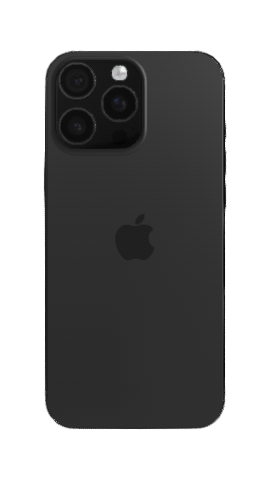
iPhone 16 Pro Max – A secure choice from Telefon’s verified sellers.
Why Buy from Telefon?
✔ Pre-checked for malware/spyware before sale.
✔ Warranty included for peace of mind.
✔ Secure payment options (MPESA, Airtel Money, Cards).
Browse Spyware-Free iPhones Now
Final Thoughts
Spyware is a serious threat, but with vigilance and the right steps, you can keep your iPhone secure. If you suspect an infection, act fast—update iOS, run a scan, or perform a factory reset.
For a guaranteed spyware-free device, shop at Telefon.co.ke, Kenya’s trusted iPhone marketplace.
Got questions? Join our forum to discuss iPhone security with other Kenyan users!
Stay safe, and keep your iPhone secure! �🔒


Comments
Post your comments